Short answer: most Acer laptop battery replacements cost $35–$120 (US) for the battery part itself, plus $0 if you DIY or typically $40–$150 for local shop labor. Your exact price depends on the battery part number, capacity (Wh), and whether it’s an internal screw-in pack or an older removable style.
Popular Acer batteries you can buy now
Below are three frequently requested Acer batteries. If your laptop uses a different part number, our store also maintains a broad, well-curated selection of other Acer batteries with clear specs, photos, and compatibility details.
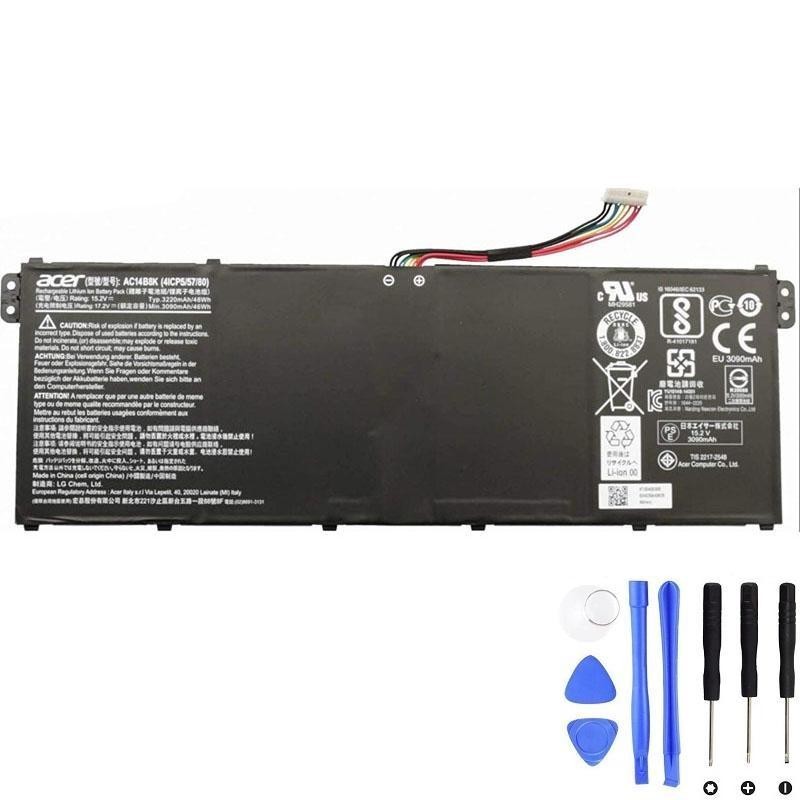
Acer AC14B8K — 48Wh
Common in modern slim Acer models. Match if your original battery label shows AC14B8K.
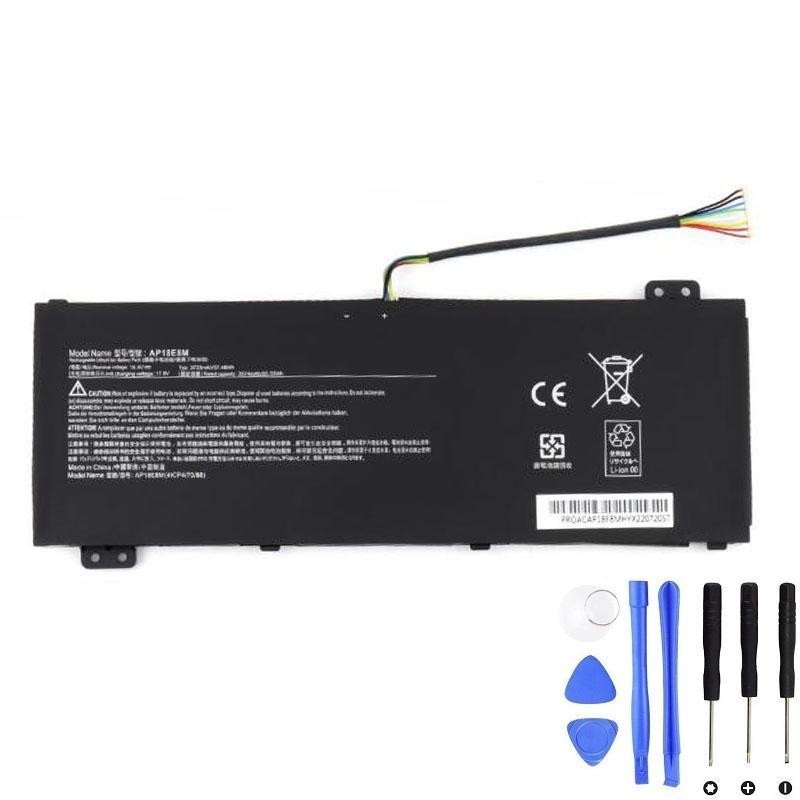
Acer AP18E8M — 57.48Wh
Internal replacement for models labeled AP18E8M, offering capacity close to original spec.
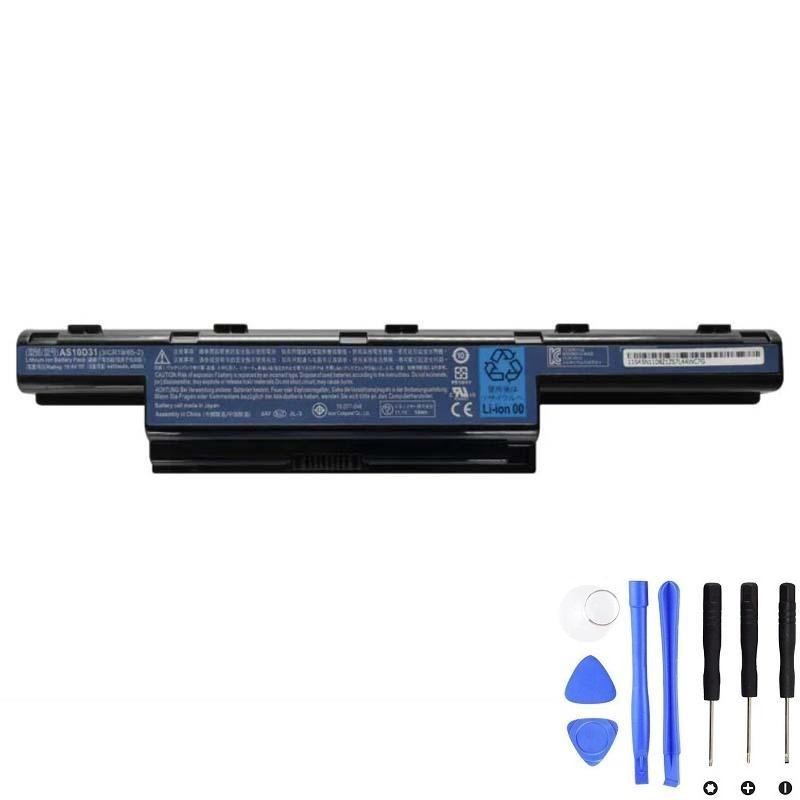
Acer AS10D31 — 48Wh
Popular with many older Acer lines. Choose this if your original pack reads AS10D31.
Typical price ranges (quick table)
Prices below are common street prices for quality third-party replacements that match the original specifications. They can vary by region and stock.
| Battery type & use case | Common Acer part families | Battery price (US) | Battery price (UK) | Battery price (EU) | Typical labor (if not DIY) |
|---|---|---|---|---|---|
| Older removable packs (classic notebooks) | AS10D31, AS07B31, AS07B42 … | $30–$55 | £25–£45 | €30–€55 | $40–$80 / £30–£60 / €40–€80 |
| Common internal 3-4 cell packs (ultrabooks) | AC14B8K, AP18E8M, AP16M5J … | $40–$75 | £35–£65 | €40–€75 | $50–$120 / £40–£95 / €50–€120 |
| High-capacity internal packs (thin-and-light w/ larger Wh) | AC14B18J, AP13B8K, AP18E7M … | $60–$95 | £50–£85 | €60–€95 | $60–$130 / £45–£100 / €60–€130 |
| Gaming lines (Nitro/Predator), higher Wh | AP18C8K, AP18E7M, AP16M5J variants … | $70–$120 | £60–£110 | €70–€120 | $70–$150 / £55–£120 / €70–€150 |
What drives the price up or down
- Part number (P/N) & fit: Acer uses multiple batteries across the same model family. Prices track the specific part number printed on your pack (e.g., AC14B8K, AP18E8M, AS10D31).
- Capacity (Wh): Higher Wh usually costs more. Some chassis have two or more capacity options that fit; always verify the footprint and connector.
- Internal vs removable: Internal screw-in packs are now common; the part may cost slightly more than older removable styles and can add labor time.
- Availability: Older, rare, or gaming-line batteries can be pricier when supply is tight.
- Brand & warranty: Quality cells and proper protections (OVP/OCP/OTP) are worth paying for, especially if you rely on the laptop daily.
How to estimate your exact cost (2 minutes)
- Find the battery part number: Power down, remove bottom cover (if applicable), and read the label. Look for codes like AC14B8K, AP18E8M, AS10D31.
- Note the specs: Capacity in Wh (e.g., 48Wh, 57.48Wh) and voltage (V) printed on the pack. Match these when shopping.
- Check labor: If you DIY, labor is $0. Otherwise, call two local shops and ask for a “battery replacement” quote for your exact model or P/N; most will give a flat estimate.
- Add shipping/taxes: Add $5–$15 for shipping (if applicable) and local tax/VAT to get the all-in cost.
DIY vs repair shop vs manufacturer service
DIY
- Lowest cost (pay only for the battery)
- Requires small screwdrivers & a plastic spudger
- Follow ESD-safe handling and avoid bending the pack
Skill level: easy-moderate depending on the chassis. Most modern Acers: remove bottom cover → disconnect battery → swap.
Local repair shop
- Pay for labor; turnaround often same-day to 48h
- Useful if screws/clips are delicate or you lack tools
- Ask about warranty on both parts and labor
Expect $40–$150 labor depending on complexity and region.
Price notes by Acer series
- Acer Aspire (mainstream): Wide range of batteries. Many land in the $40–$85 parts range depending on Wh and generation.
- Swift / Spin (thin & light/convertible): Internal packs like AC14B8K/AP18E8M are common; expect $45–$90 for quality replacements.
- Nitro: Mid-range gaming—larger Wh can push parts into $70–$110.
- Predator: Performance models may use higher-capacity or less common packs; $85–$120+ isn’t unusual.
- Chromebooks & edu devices: Often in the $35–$70 range depending on the battery family and availability.
Ways to save without compromising safety
- Match by part number: It reduces returns and ensures connector/footprint fit.
- Buy from a specialist: Look for clear Wh/Voltage listings, compatibility tables, and a 12-month warranty.
- DIY if comfortable: Most models only require a Phillips screwdriver and a plastic spudger.
- Calibrate after install: Fully charge to 100%, rest 30–60 min on AC, then discharge to ~10–20% and charge to 100% once or twice. Helps the gauge read accurately.
FAQs
Is it worth replacing the battery? Yes—if the laptop meets your performance needs, a fresh battery (often $40–$90) restores mobility for a fraction of a new device.
Can I upgrade capacity? Sometimes. Only if a higher-Wh variant shares the same footprint/connector and the chassis allows it. Check service docs or a specialist.
Will replacing the battery void my warranty? If your device is still under warranty, opening the chassis may affect coverage. Check Acer’s terms for your model/region.
What about swollen batteries? Stop using immediately. Do not compress the chassis. Replace the pack and dispose of the old battery properly at a recycling center.
Brand names are used strictly for identifying compatible replacement parts.