If your Dell laptop uses a WDX0R (42Wh) battery and it suddenly powers off even though Windows shows battery charge remaining, the most common reason is:
Battery percentage is an estimate, but your laptop needs stable voltage/current.
A worn or unstable battery can still report “30%” or “40%” but fail to supply enough power when the laptop demands more energy. When voltage drops too low, the laptop shuts down instantly to protect your data and hardware.
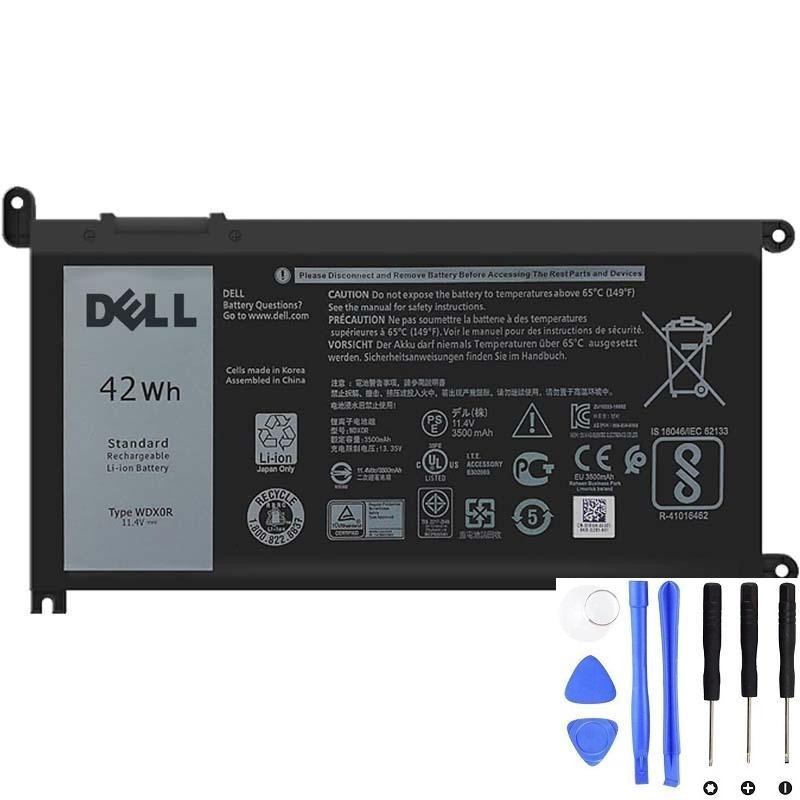
If shutdowns happen on battery power, the battery is often the real cause.
1) The #1 cause: voltage drop under load (battery can’t deliver peak power)
As batteries age, internal resistance increases. Under light tasks your laptop may seem fine, but when you open heavy apps or multitask, the laptop demands a short burst of higher power.
If the WDX0R pack can’t deliver that burst, battery voltage can drop below a safe threshold and the laptop shuts down immediately.
Common pattern:
- Shutdowns happen more often at 20–50% battery
- Shutdowns happen during CPU/GPU spikes (opening apps, video calls, installing updates)
- Laptop is stable on AC power
2) Battery gauge errors (percentage looks wrong)
Windows shows an estimate based on past battery behavior. If the battery has aged, the gauge may be inaccurate.
- The laptop may show 35% but the battery is actually near its low-voltage cutoff.
- That can cause sudden shutdowns “with charge left.”
This often comes together with percentage jumps (e.g., 45% → 18%).
3) Cell imbalance or battery protection triggering early cutoff
The WDX0R pack contains multiple cell groups plus a protection circuit. If one cell group is weaker, the pack can hit cutoff early, forcing shutdown to protect the battery—even if overall percentage appears higher.
4) Quick tests to confirm it’s really the battery
A) AC vs battery stability test
- Run the laptop on AC power under the same workload that causes shutdowns.
- If it never shuts down on AC but shuts down on battery, the battery is the top suspect.
B) Light-load test
Charge to 100%, unplug, set brightness ~50%, close heavy apps, and do a light task for 10–15 minutes.
- If it still shuts down early or drops rapidly, the battery is likely failing.
- If it only shuts down under heavy tasks, it’s classic “voltage drop under load”.
C) Check battery health with a Windows battery report
powercfg /batteryreportIf FULL CHARGE CAPACITY is far below DESIGN CAPACITY, the battery holds much less energy than new—making sudden shutdowns more likely.
D) Run Dell pre-boot diagnostics (ePSA)
- Restart
- Tap F12
- Select Diagnostics
If diagnostics reports battery problems/end-of-life, replacement is strongly recommended.
5) Power settings that can make shutdowns happen sooner
These don’t usually “cause” shutdowns on a healthy battery, but they can trigger shutdowns earlier on a weak one:
- Best performance mode (higher power spikes)
- High brightness
- Many background apps
Tip: For testing, switch to Balanced mode and reduce brightness to see if shutdowns become less frequent.
6) Less common causes (when to look beyond the battery)
If the laptop also shuts down on AC power, investigate:
- Overheating (thermal shutdown)
- Faulty charger/charging port (unstable power feed)
- System instability (driver issues, RAM/storage problems)
7) When you should replace the WDX0R battery
Replacement is strongly recommended if:
- You get random shutdowns on battery more than once
- You see percentage jumps or inaccurate battery readings
- Battery report shows low full charge capacity
- Dell diagnostics reports battery end-of-life or failures
- You see swelling (replace ASAP for safety)
Need a compatible Dell WDX0R (42Wh) replacement?
If your Dell shuts down on battery power even with charge left, replacing the WDX0R battery is often the fastest way to restore stable portable use.