Yes—most Acer laptop batteries are replaceable. This guide shows you how to confirm compatibility, prepare tools, replace the battery safely, calibrate it afterward, and choose a suitable replacement for common Acer lines.
When should you replace the battery?
- Runtime collapse: You used to get hours; now it dies within minutes even after a full charge.
- Charge stuck or sudden shutoffs: Jumps from 30% to 0%, or powers off when you unplug.
- High cycle count / wear: Battery health tools report severely degraded capacity.
- Swelling or warped chassis: Trackpad lifts, bottom case bulges—stop using immediately and replace.
- Charger dependence: Works only when plugged in, despite Windows saying “plugged in, charging.”
How to check your exact battery model
- In Windows: Open Command Prompt as Admin → run powercfg /batteryreport. Open the generated HTML report and review “Design Capacity” vs “Full Charge Capacity”.
- Physical label (best): Power down, disconnect charger, then open the bottom cover (if applicable) to read the printed battery part number (e.g., AC14B8K, AP18E8M, AS10D31) on the pack itself.
- Service manual: Many Acer models list the battery P/N in their service documentation; match the part number rather than just the series name.
Popular Acer replacement batteries (hand-picked)
Below are three widely used Acer battery families with links to purchase. Click an image or button to view full details, photos, and compatibility info.
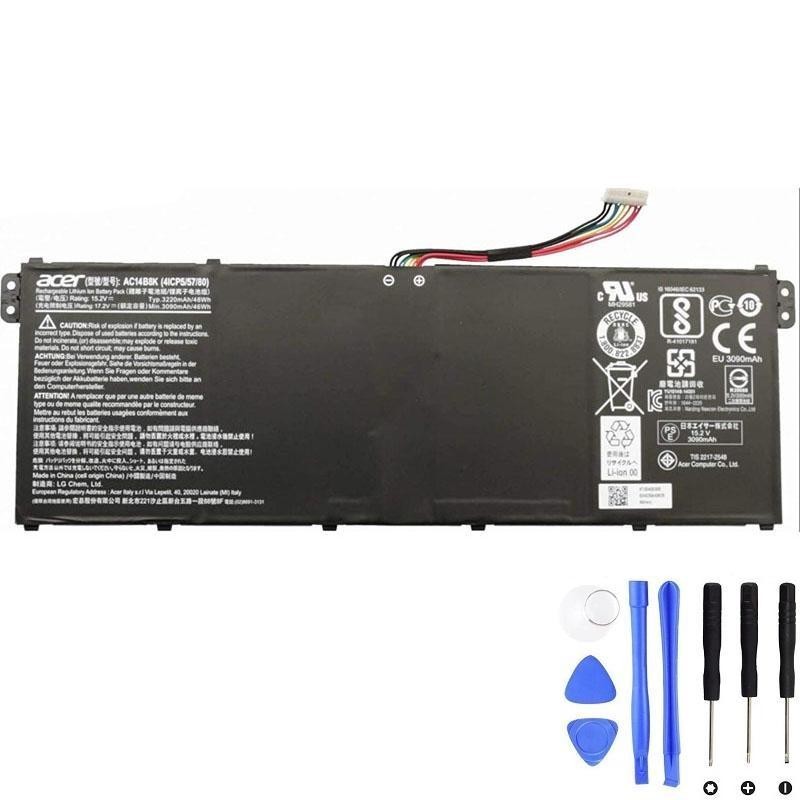
Acer AC14B8K — 48Wh
Modern slim Acer laptops often use internal packs like AC14B8K. If your original label shows “AC14B8K,” this 48Wh unit is a direct-fit style replacement.
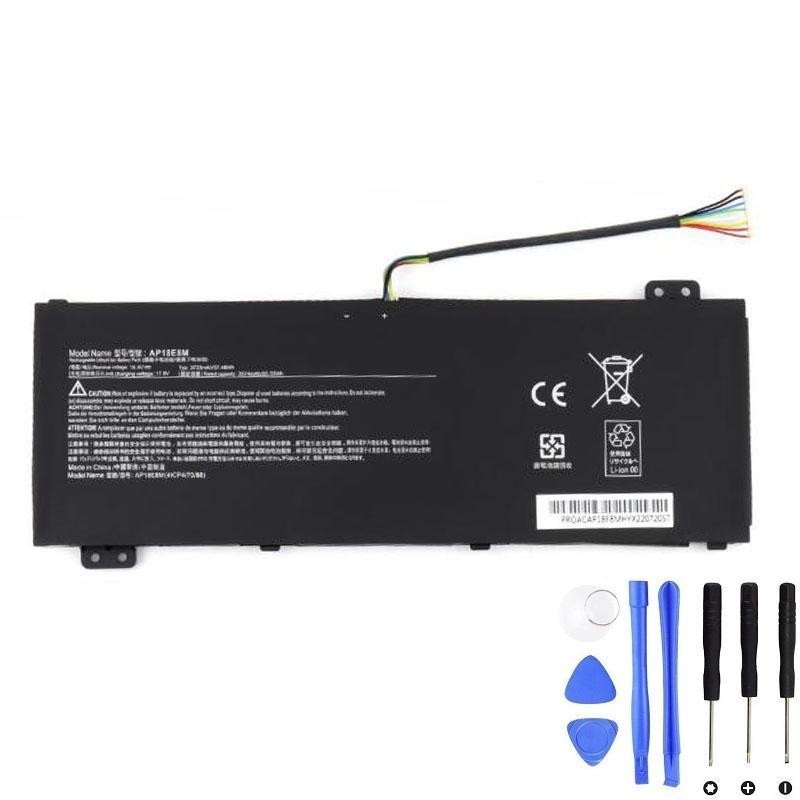
Acer AP18E8M — 57.48Wh
Another internal type. Match to the exact part number on your battery label (AP18E8M). Ideal when you need a capacity close to original spec.
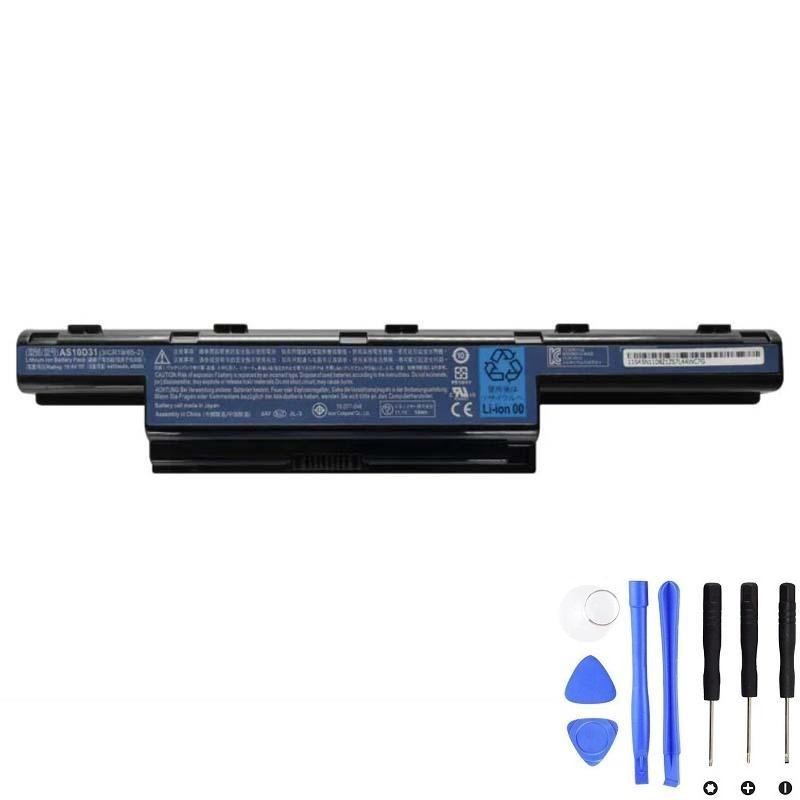
Acer AS10D31 — 48Wh
Common on older Acer lines. This pack is typically removable once the bottom shell is open (or on some models, without opening the shell).
Quick comparison
| Battery | Typical type | Nominal capacity | When to choose it | Product page |
|---|---|---|---|---|
| AC14B8K | Internal (screw-in) | 48Wh | Ultrabooks with AC14B8K on label; you want a like-for-like swap. | Open |
| AP18E8M | Internal (screw-in) | 57.48Wh | Units labeled AP18E8M; pick to maintain original capacity. | Open |
| AS10D31 | Internal/removable depending on model | 48Wh | Older systems that specifically list AS10D31 on the battery pack. | Open |
How to replace an Acer battery (general steps)
- Back up & power down. Shut down Windows, unplug the charger, and press the power button for 10–15 seconds to discharge residual power.
- Prepare tools. Small Phillips screwdriver, plastic spudger, ESD-safe work surface. Avoid metal prying tools on the battery area.
- Open the bottom case. Remove visible screws. Gently release clips with a plastic card. Keep screws organized.
- Locate the battery pack. Note the cable and connector orientation. Do not puncture or bend the pack.
- Disconnect the battery. Use a spudger to lift the battery connector straight out from the board.
- Remove the battery screws. Lift the pack out carefully. If there’s adhesive, loosen slowly to avoid deformation.
- Install the new battery. Seat it flat, align mounts, and re-install screws to light finger-tight torque.
- Reconnect the cable. Press evenly on the connector—don’t force it. Check that cables are not pinched.
- Reassemble and test. Close the bottom case, connect the charger, and boot. Confirm Windows recognizes the battery and it starts charging.
After-replacement tips & calibration
- Initial charge cycle: Charge to 100%, keep charging for 30–60 minutes, then use on battery down to ~10–20% and recharge to 100% once or twice. This helps the gauge learn.
- Avoid deep drains: For daily use, keep between ~20–85% when possible.
- Storage: If storing the laptop for weeks, leave the battery around 40–60% and power off fully.
FAQs
- Is replacing an Acer battery worth it?
- Usually yes. A fresh pack restores portability and costs far less than a new laptop.
- How do I guarantee compatibility?
- Match the printed part number on your original battery (e.g., AC14B8K, AP18E8M, AS10D31). If your model shipped with multiple battery options, rely on the label, not only the laptop model name.
- Can I upgrade to a higher-capacity battery?
- Only if Acer (or your chassis) supports a higher-capacity variant with the same footprint and connector. Always verify mechanical fit and connector type first.
- Safety reminders?
- Stop immediately if you see swelling, smoke, or unusual heat. Don’t puncture the pack. Recycle old batteries at an appropriate facility.