The Dell WDX0R (42Wh) is a common internal laptop battery. Like all lithium batteries, it’s a consumable part that gradually loses capacity over time. How long it lasts depends heavily on your usage, heat exposure, and charging habits.
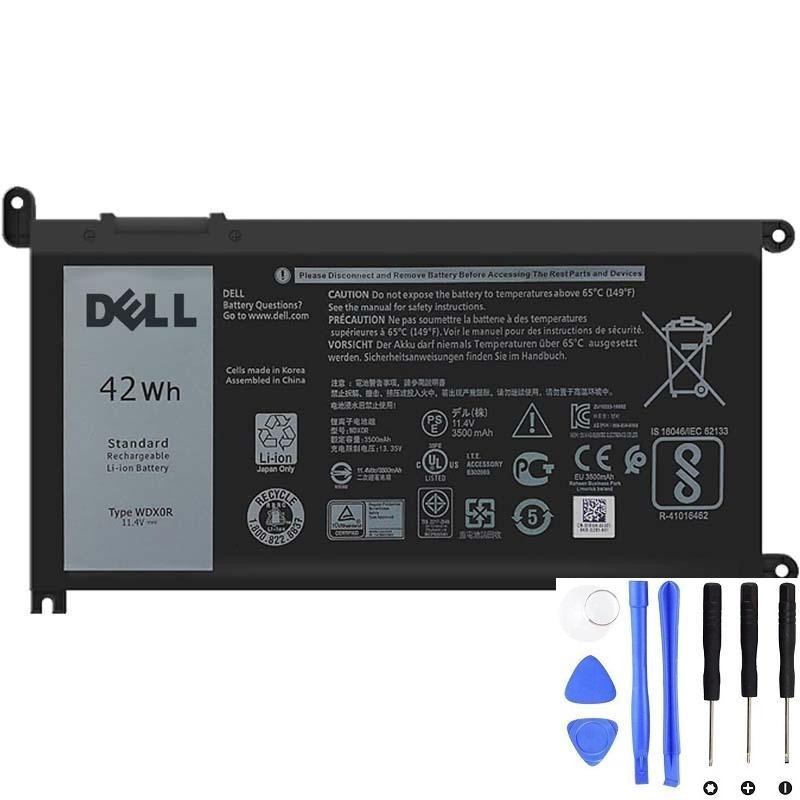
Need a replacement WDX0R battery?
1) Typical lifespan: what most users can expect
For a WDX0R 42Wh battery, many users typically see:
- About 2–4 years under normal daily use
- A few hundred full charge cycles before runtime becomes noticeably shorter
What a “cycle” means: using 100% of the battery’s capacity in total. For example, two days of 50% use each can equal one full cycle.
Some batteries last longer with cooler temperatures and light workloads. Others wear faster with high heat, daily heavy use on battery, or frequent deep discharges.
2) The biggest factors that shorten WDX0R battery lifespan
A) Heat (the #1 cause of faster wear)
- Gaming, video editing, and heavy multitasking increase heat and speed up aging.
- Blocked vents (bed/blanket/sofa) trap heat and shorten battery life.
- Dust buildup can raise internal temperatures over time.
B) Deep discharging often (running near 0% regularly)
- Frequent deep drains add stress to lithium cells.
- Occasional low battery is fine—doing it daily reduces lifespan faster.
C) Staying at 100% constantly (always plugged in)
- Keeping lithium batteries at full charge for long periods can accelerate aging.
- If your Dell model offers a charge limit/battery health mode, using it can help.
D) High power draw on battery
- Running high CPU/GPU loads on battery increases current draw and heat.
- This can lead to earlier issues like percentage jumping or sudden shutdowns.
E) Long-term storage at extreme charge levels
- Storing at 0% for months can lead to deep discharge problems.
- Storing at 100% in a warm environment accelerates aging.
- For long storage, a mid-level charge is generally healthier than extremes.
3) How to check your WDX0R battery health (best proof)
Windows can show how much capacity your battery can hold today compared to when it was new.
- Right-click Start → Terminal (Admin) / Command Prompt (Admin)
- Run:
powercfg /batteryreportIn the report, compare:
- DESIGN CAPACITY
- FULL CHARGE CAPACITY
Simple interpretation:
- 85–100% of design: generally healthy
- 70–85%: noticeable runtime drop is normal
- Below ~70%: many users consider replacement worthwhile
4) When it’s “time to replace” (real-world triggers)
Even if the laptop still works, replacement is often the best move if you see:
- Runtime is too short for daily needs
- Battery percentage jumps or becomes unreliable
- Random shutdowns even when battery shows charge left
- “Battery needs to be replaced” warnings
- Swelling (bulging cover, lifted touchpad) — replace ASAP for safety
5) Tips to make a Dell WDX0R battery last longer
- Reduce heat: keep vents open, use on a hard surface, clean dust if needed.
- Avoid frequent deep drains: plug in before it hits very low % repeatedly.
- Use balanced power settings: lower brightness, close heavy background apps.
- If available, use a charge limit/battery health mode: helpful if plugged in most of the time.
- Store smartly: for long storage, avoid extreme charge levels and high temperatures.
Need a compatible Dell WDX0R (42Wh) replacement?
If your battery health is low or you’re seeing fast drain, shutdowns, or inaccurate percentage readings, replacing the WDX0R is often the fastest way to restore stable runtime.