Lenovo’s ThinkPad T580 is one of the last mainstream 15.6″ business laptops to ship with a true
dual-battery Power Bridge design: a fixed internal 32 Wh pack plus a hot-swappable
external pack (24 Wh / 48 Wh / 72 Wh family). This post explains how it works, how to hot-swap
safely, how to choose capacities, and how to care for both batteries for long-term health.
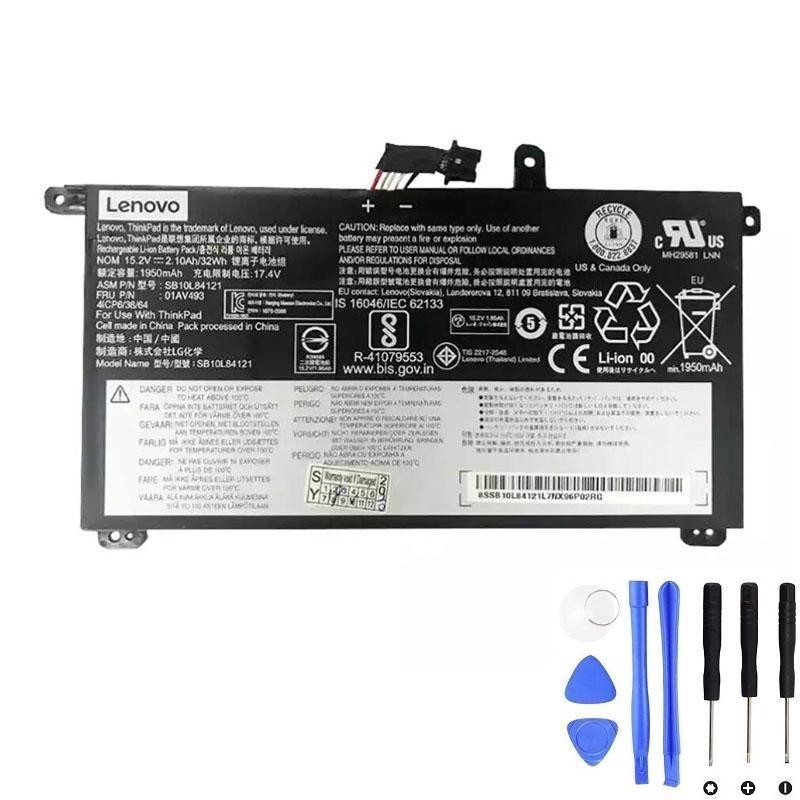
Lenovo 01AV493 — 32 Wh Internal Battery
Factory-style internal pack used by T580 as the “bridge” battery to enable hot-swap of the external pack.
Tip: Internal pack keeps the system alive while you swap the external battery on the road.
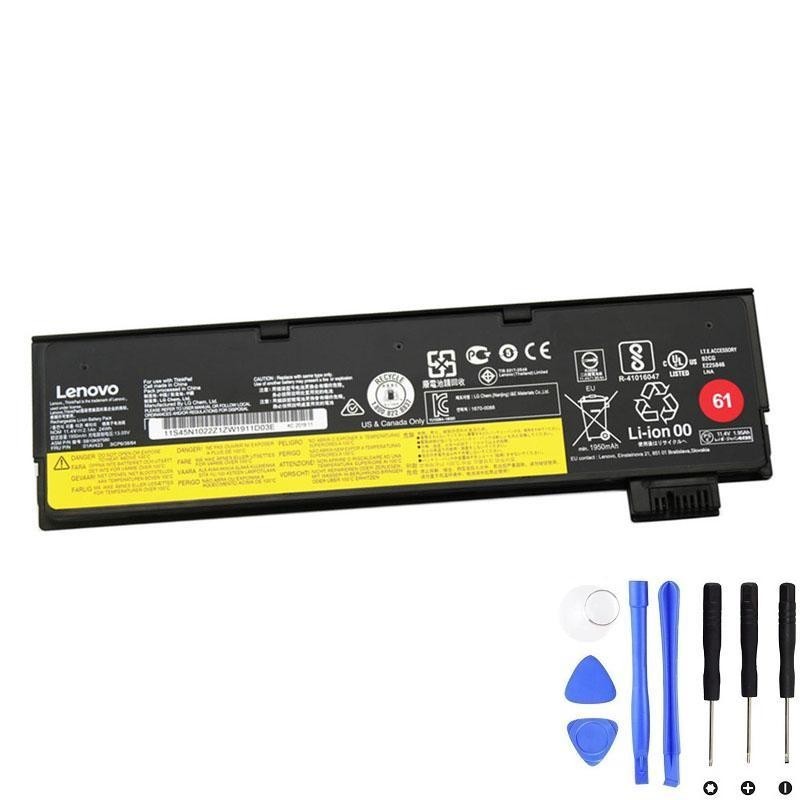
Lenovo 01AV423 — 24 Wh External Battery
Slim, lightweight option that preserves the T580’s original footprint. Best for commuting and meetings.
Slim profile • Minimal weight • Ideal as a day-to-day external.
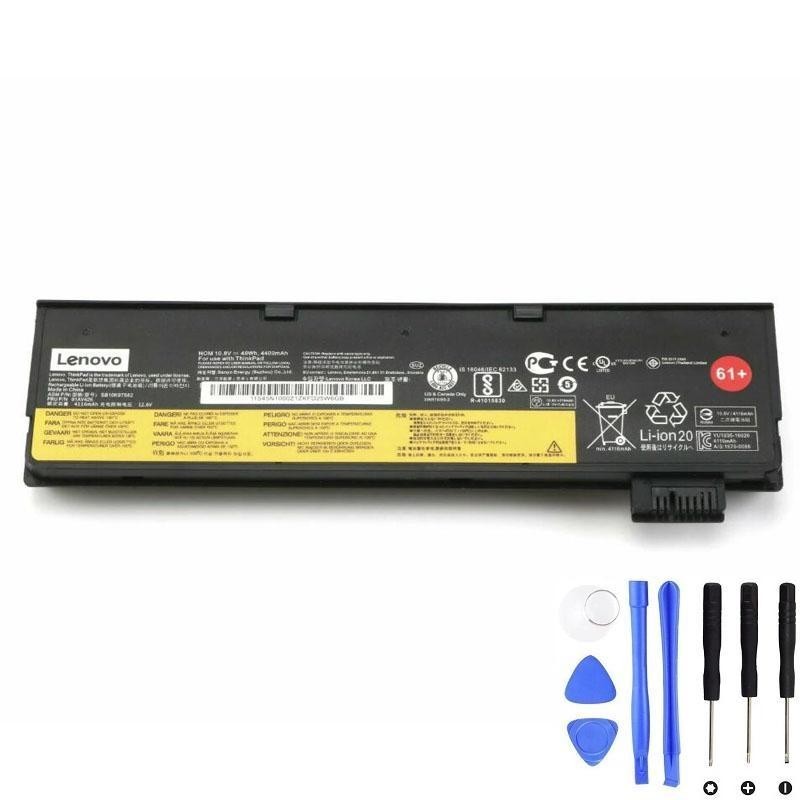
Lenovo 01AV425 — 48 Wh External Battery
Balanced choice for full-day mobility: significantly more runtime than 24 Wh without the thick bump of 72 Wh.
Great “set it and forget it” external for travel days and conferences.
Links above open in a new tab. Always verify your exact model/FRU before purchase.
What is the T580 Dual-Battery “Power Bridge”?
Power Bridge pairs a fixed internal battery with a removable external battery.
The internal pack keeps the system powered while you swap the external without shutting down—vital for
long meetings, flights, field work, and anywhere AC is scarce.
Windows will show the two packs separately (Battery 1 / Battery 2).
Capacities & What Windows Shows
The T580 platform commonly ships with a 32 Wh internal battery (FRU 01AV493) and supports multiple external options (24 Wh, 48 Wh, 72 Wh family). Windows typically displays both batteries individually, including their charge % and cycle data.
| Pack | FRU | Nominal Capacity | Location | Hot-swap | Recommended use |
|---|---|---|---|---|---|
| Internal | 01AV493 | 32 Wh | Inside chassis | No | Bridge power for swaps; baseline runtime |
| External (slim) | 01AV423 | 24 Wh | Rear bay | Yes | Meetings, commuting, minimal weight |
| External (balanced) | 01AV425 | 48 Wh | Rear bay | Yes | Full-day mobility with modest bulk |
| External (long-haul) | — | 72 Wh | Rear bay | Yes | Max runtime; adds noticeable thickness/weight |
How to Hot-Swap the External Battery (Step-by-Step)
- Confirm the internal battery has sufficient charge (or connect AC).
- Close heavy apps (renders/benchmarks) to minimize peak draw during the swap.
- Flip the battery latch, remove the external pack, and immediately seat the charged replacement.
- Verify Windows still shows line power from Battery 1 (internal) and begins reading Battery 2 (external) once attached.
Important: Hot-swap is for the external bay. Any operation that involves opening the chassis or disconnecting the internal pack should be done fully powered off following Lenovo’s service manual.
Which External Capacity Should You Choose?
- 24 Wh (01AV423): Preserves the slim profile and keeps weight down. Ideal if you’re frequently near AC or your sessions are short.
- 48 Wh (01AV425): The sweet spot for most users—substantially longer runtime without the thick “battery bump” of 72 Wh packs.
- 72 Wh: Marathon runtime for flights and field days; expect a noticeable bulge and extra weight. Many users carry two 48 Wh packs instead for balance and flexibility.
Real-World Runtime & Behavior
Under light office loads (FHD panel, Wi-Fi on, medium brightness), a healthy 32 Wh internal + 48 Wh external
often covers a full business day. Many firmware versions prefer to discharge the external first
so you can swap it whenever needed; some adapt based on wear/temperature. Both behaviors are normal.
Why your % may jump after a swap
When you insert a freshly charged external pack, Windows recalculates the combined available energy. A quick
step change in the reported “time remaining” is expected—give it a minute to stabilize.
Battery Health, Calibration & Care
- Occasional calibration: If readings seem off, do a gentle cycle: charge to 100% → use normally to low (not 0%) → recharge to full. No need to repeat frequently.
- Heat is the enemy: Keep vents clear; avoid high-temp storage, especially with packs at 100% for long periods.
- Docked life: If you live on AC, consider running a smaller external day-to-day and swap to a larger pack only for travel days.
Installation & Compatibility Checklist
- Confirm your exact model is ThinkPad T580 (not T580s/T590, which use different designs).
- Match FRU/part numbers when possible:
- Internal: 01AV493 — 32 Wh
- External: 01AV423 — 24 Wh; 01AV425 — 48 Wh
- Power down for internal battery service. External packs can be swapped live as described above.
- After installation, inspect Windows Battery 1 / Battery 2, and run a brief “smoke test” (web + video) to ensure stable power reporting.
FAQ
Will the T580 run with only the external battery installed?
Yes, as long as the internal battery is present and connected inside the chassis. The internal pack forms the bridge logic even if it’s not carrying most of the runtime load.
Why does Windows show two batteries?
Because there are physically two smart packs: one internal, one external. Each reports its own charge %, cycle count, and status.
Do I need to condition new batteries?
No special ritual is required. A normal charge to 100% followed by normal use is enough. If estimates seem off, perform one gentle calibration cycle.
Can I mix capacities (e.g., 32 Wh internal + 24 Wh external today, 48 Wh tomorrow)?
Yes. That’s the point of Power Bridge—pick the external pack that fits the day’s job and swap at will.