Everything you need to know about the internal + external “Power Bridge” batteries, hot-swap workflow, real-world runtimes, and the right packs to buy.
The ThinkPad P52s blends the portability of the T-series with ISV-class graphics and the classic Power Bridge battery concept.
Under the palm rest is a small internal battery that keeps the machine alive while you swap the external rear battery.
For engineers, creators, and field teams, that single design choice turns a long day into a smooth one.
External 24/48/72 Wh
Hot-swap external
Per-battery health & thresholds
How It Works: Power Bridge for the P52s
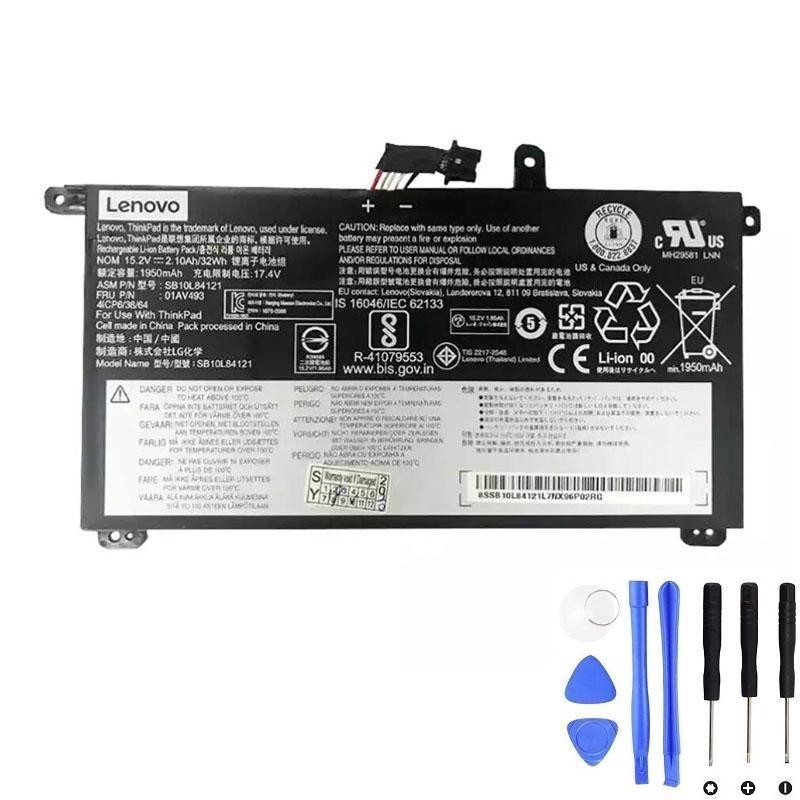
- Internal battery (~32 Wh) — lives inside the chassis; functions like a built-in UPS.
- External battery (24/48/72 Wh) — clicks in at the back; user-replaceable in seconds.
- EC/BIOS logic — prefers to discharge the external first and preserve the internal for hot-swap.
When on AC, charging tends to prioritize bringing the internal to a safe state, then topping off the external.
When the external ages, replace it and keep going.
Hot-Swap Routine (30-second drill)
- Check the internal battery is > 20% (Windows: Lenovo Vantage; Linux:
upower -d). - Pause heavy jobs (VMs/compiles) to reduce momentary draw.
- Slide the latch, remove the rear battery, insert the fresh one until it clicks.
- Confirm both batteries show up again in the OS battery panel.
If the new pack doesn’t appear instantly, reseat it or briefly connect AC to “wake” the fuel gauge.
Runtime: Estimate Before You Travel
Ballpark your endurance with a simple rule of thumb:
Runtime (hours) ≈ (Internal Wh + External Wh) ÷ Average W
Typical averages: 6–9 W for office/web; 12–18 W for heavy media/compiles.
| Battery Combo | Total Energy | ~6 W | ~9 W | ~12 W | ~18 W |
|---|---|---|---|---|---|
| Internal 32 + External 24 | 56 Wh | ≈ 9.3 h | ≈ 6.2 h | ≈ 4.7 h | ≈ 3.1 h |
| Internal 32 + External 48 | 80 Wh | ≈ 13.3 h | ≈ 8.9 h | ≈ 6.7 h | ≈ 4.4 h |
| Internal 32 + External 72 | 104 Wh | ≈ 17.3 h | ≈ 11.6 h | ≈ 8.7 h | ≈ 5.8 h |
Treat them as planning guidance, not a certification figure.
Pick a Pack: Which External Battery Fits Your Day?
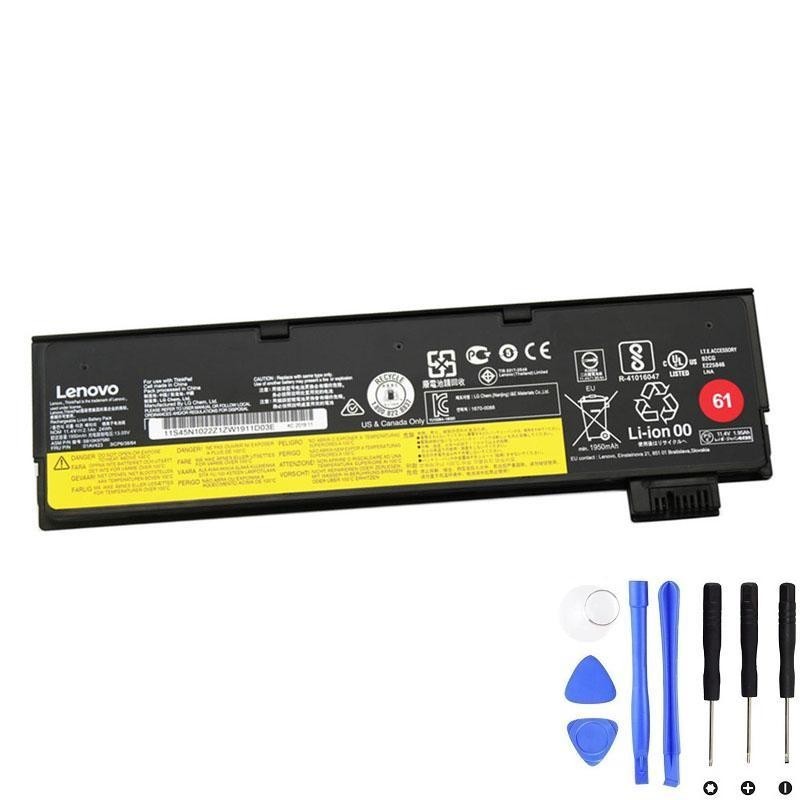
24 Wh (Pack 61) — Go Light
Flush rear edge and the lowest carry weight. Perfect for conference rooms and short hops with outlet access.
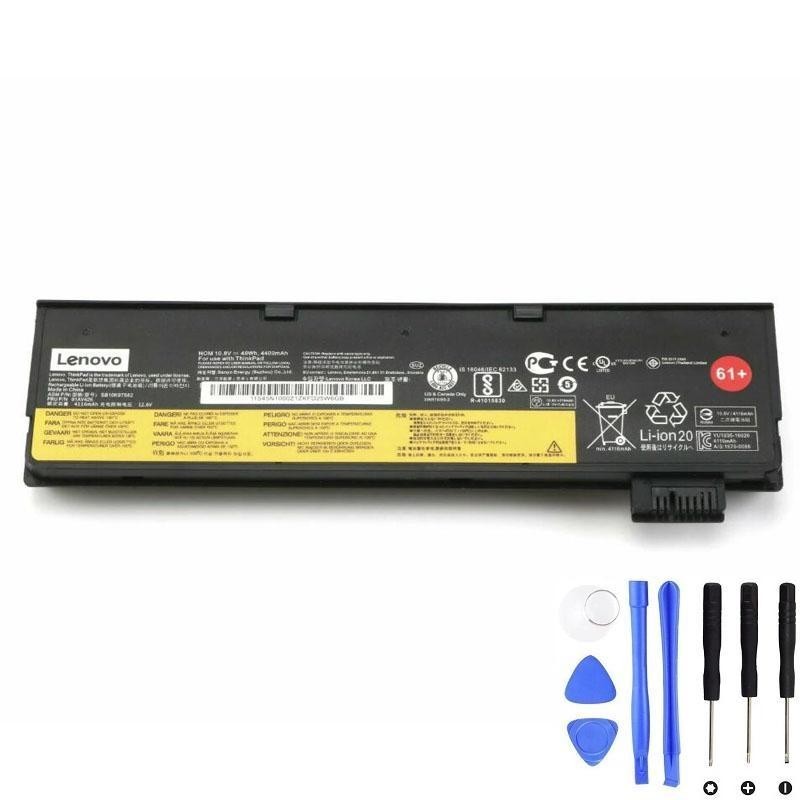
48 Wh (Pack 61+) — Balanced
The everyday sweet spot for many P52s users: solid runtime with moderate bulk.
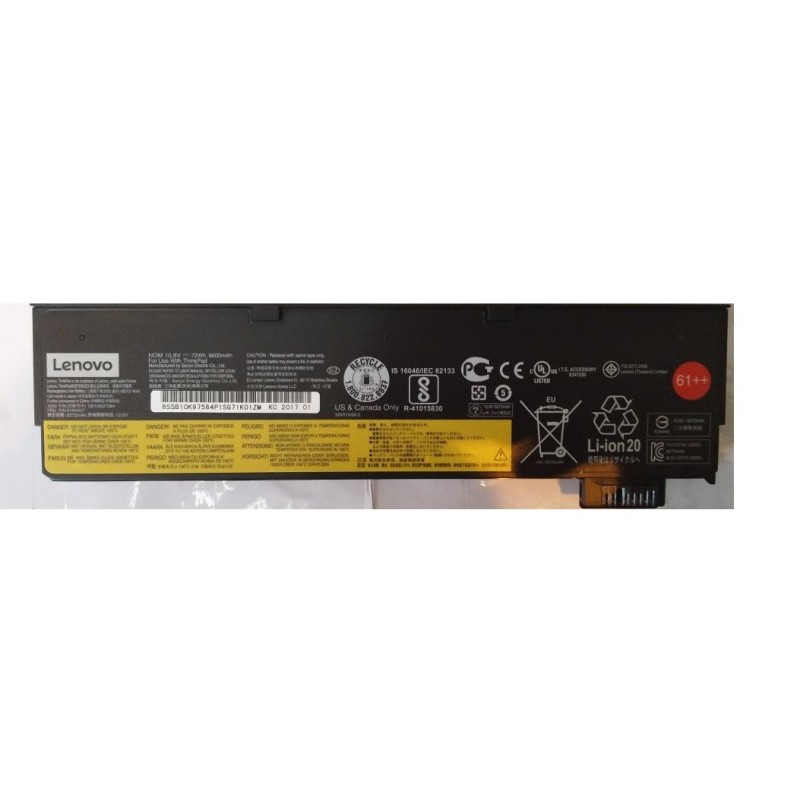
72 Wh (Pack 61++) — Marathon
Maximum endurance. Adds a rear “foot” that some users prefer for typing angle. Best for flights and field work.
Buy the Right Batteries (Clickable, FRU-matched)
Always match the FRU/part number on your current labels before ordering—this avoids voltage/connector mismatches.
Internal Battery for P52s
External Batteries (Rear, Hot-swappable)
Install Notes: Internal vs External
- Keep running (for hot-swap), but ensure internal SOC > 20%.
- Slide the latch, remove the external, insert the new pack until it clicks.
- Confirm recognition in the OS battery UI.
- Shut down, unplug AC, remove bottom cover screws.
- Disconnect the internal battery cable before lifting the pack.
- Install 01AV493, route the cable exactly as original, reassemble, boot, verify both batteries.
If unsure about ESD or small connectors, seek a qualified technician.
Care, Calibration & Storage
- Use charge thresholds (Lenovo Vantage/TLP) when desk-bound to reduce time at 100%.
- Keep it cool: heat is the fastest way to lose capacity; clean vents and avoid hot cars.
- Shallow cycles are healthier than deep cycles; reserve 0% only for occasional calibration.
- Calibration recipe: full charge → rest 30–60 min → light discharge to ~5–10% → uninterrupted full charge.
- Store spares at ~40–60% SOC in a cool, dry place; top up every couple of months.
Compatibility Snapshot
This guide targets ThinkPad P52s machine-type families:
- 20LB
- 20LC
Important: The P52s accepts multiple external sizes (24/48/72 Wh).
Always confirm the FRU/part number printed on your existing labels—especially before ordering the internal 01AV493 or any 61/61+/61++ external.
FAQ
Does the P52s support hot-swapping?
Yes. The internal pack keeps the system alive while you replace the external battery.
Which battery drains first?
By design, the system typically prefers to drain the external battery first, preserving the internal for hot-swap safety and health.
Will a 72 Wh external impact stability?
No—only weight and a small rear “foot.” It’s the endurance champion for travel and field work.
My new battery shows slightly less Wh than the label. Defective?
Usually not. Full-charge capacity stabilizes after a few cycles. If the gap remains large, contact the seller.