ThinkPad A475 (Types 20KL, 20KM) — Power Bridge Battery Guide
A clear, technician-friendly explanation of the A475 dual-battery design—plus runtime math and FRU-matched batteries you can buy today.
The 14-inch ThinkPad A475 pairs AMD PRO silicon with Lenovo’s classic Power Bridge layout:
an internal battery inside the chassis that keeps the system alive, and a rear, removable external battery
you can swap in seconds. The result: endurance you can scale, and no forced shutdowns when you need to change packs.
Design: Internal + External
Hot-swap: Yes (external)
Typical totals: 48–72 Wh
Architecture: Internal + External, Managed by EC/BIOS
- Internal battery (~24 Wh) — sealed inside; works like a built-in UPS so you can swap the rear pack without shutting down.
- External battery (24 Wh or 48 Wh) — slides into the back edge; user-replaceable in seconds.
- Policy — firmware generally drains the external first, preserving internal SOC to protect the hot-swap window and extend internal pack life.
Cycling the removable pack more often means the consumable part is quick to replace, while the internal pack stays healthier for years.
Runtime Math: Pick Your Combo, Know Your Hours
Use the simple rule of thumb:
Runtime (hours) ≈ (Internal Wh + External Wh) ÷ Average W
On a healthy A475: ~6–9 W for office/web, ~10–15 W for heavier loads. Temperature, brightness, radio use, and battery age all matter.
| Battery Combo | Total Energy | ~6 W | ~9 W | ~12 W | ~15 W |
|---|---|---|---|---|---|
| Internal 24 + External 24 | 48 Wh | ≈ 8.0 h | ≈ 5.3 h | ≈ 4.0 h | ≈ 3.2 h |
| Internal 24 + External 48 | 72 Wh | ≈ 12.0 h | ≈ 8.0 h | ≈ 6.0 h | ≈ 4.8 h |
Hot-Swap Routine (30-second drill)
- Confirm the internal battery shows > 20% (Windows: Lenovo Vantage; Linux:
upower -d). - Pause heavy tasks (VMs/compiles) to lower momentary draw.
- Slide the latch, remove the rear battery, insert the fresh pack until it clicks.
- Open your OS battery panel and verify both packs are present again.
If the new pack doesn’t register instantly, reseat it or briefly connect AC to “wake” the fuel gauge.
Buy the Right Batteries (Clickable, FRU-Matched)
Always match the FRU/part number on your current labels before ordering to avoid connector/voltage mismatches.
Internal Battery (~24 Wh)
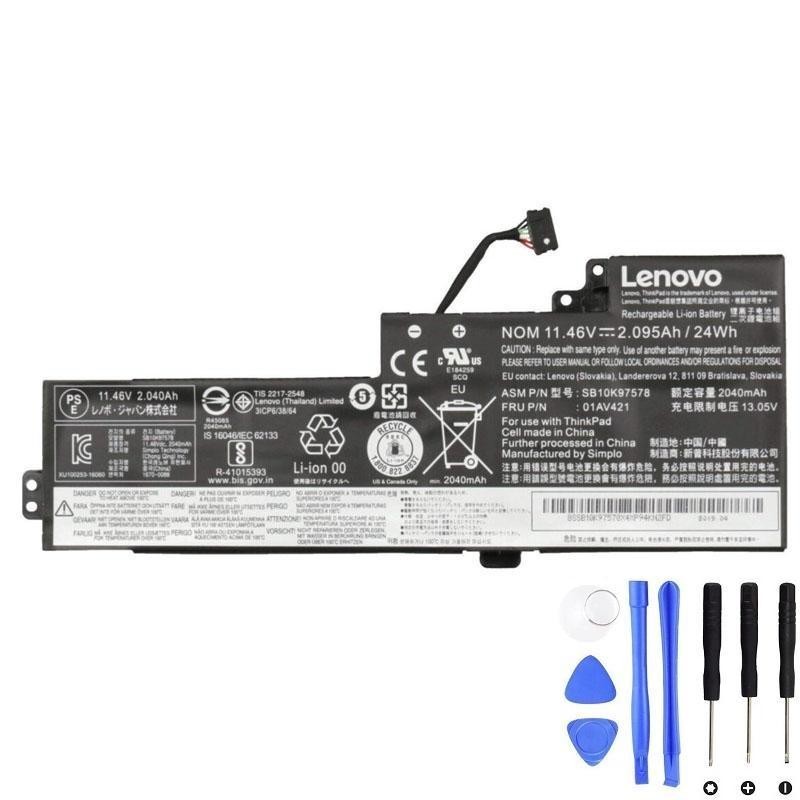
- Best for: Restoring baseline endurance when the built-in pack is worn or swollen.
External Batteries (rear, hot-swappable)
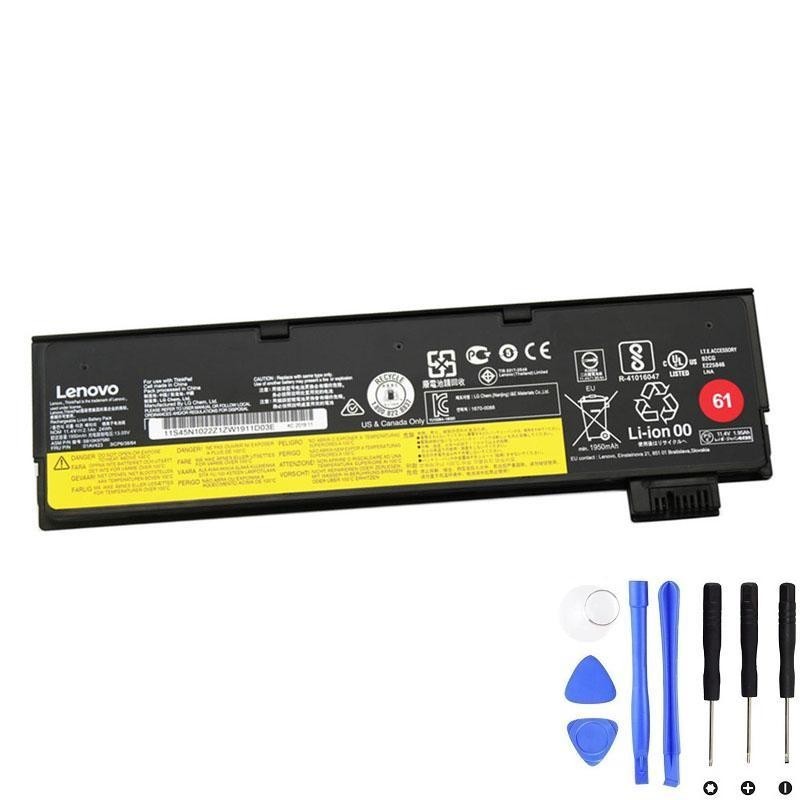
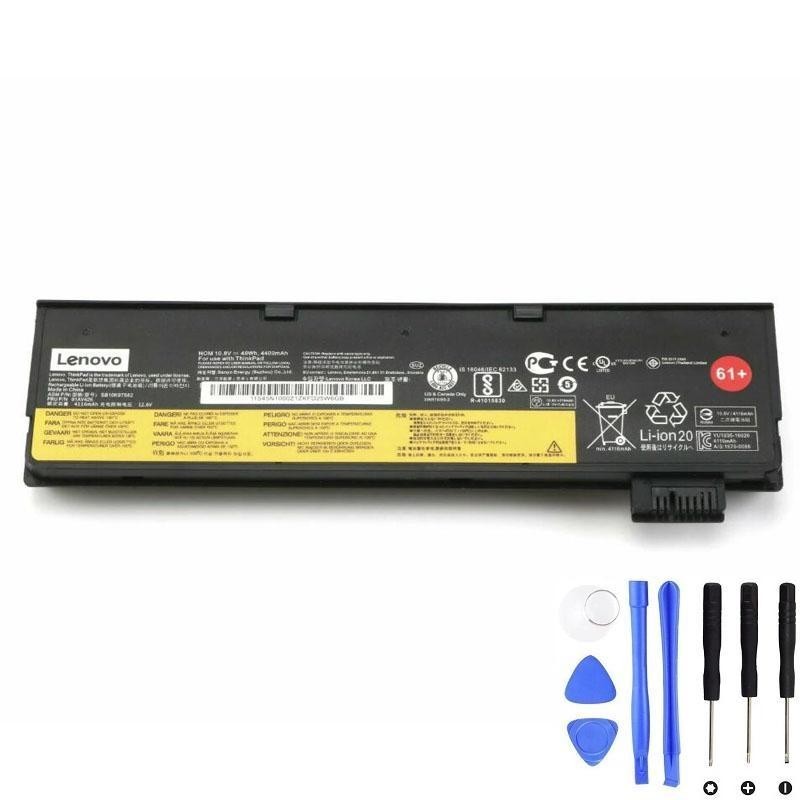
- Pick 24 Wh for the lightest carry and a clean rear edge.
- Pick 48 Wh for longer unplugged sessions with modest weight gain.
When Batteries Go Wrong: Symptoms, Diagnosis & Replacement
- Start with the external: it accrues most cycles and is the quickest, lowest-cost swap.
- Re-test runtime. If still poor (and reports show low internal Full Charge Capacity), replace the internal.
- Any swelling on either pack: stop using immediately and replace that pack.
| Symptom | Likely Cause | Checks | Replace? |
|---|---|---|---|
| Runtime collapsed vs. before | Capacity fade; higher internal resistance | Compare Full Charge Capacity vs Design (Windows battery report / Linux upower -d) |
Yes if FCC < ~60% or runtime loss >50%. Swap external first. |
| Shuts off at 20–30% | Gauge drift; voltage sag under load | Calibrate: 100% → rest → light discharge to ~5–10% → uninterrupted full charge | Replace if still happening after 1–2 calibrations. |
| “Plugged in, not charging” | Charge thresholds; temp limits; aged pack | Disable thresholds (Vantage/TLP), try another adapter, cool the system | Replace if still stuck and FCC is low. |
| External not detected | Latch/contacts; pack PCB fault | Reseat; clean contacts; brief AC connect; BIOS update | Replace external if recurring. |
| Swelling / physical bulge | Cell damage/age gas generation | Stop using; do not compress or puncture | Immediate replacement (internal via service). |
Care, Calibration & Storage
- Use charge thresholds on AC (e.g., 40–80%) to reduce high-voltage dwell.
- Keep it cool: clean vents; avoid hot cars and direct sun. Heat is the #1 capacity killer.
- Favor shallow cycles: leave 0% for occasional calibration only.
- Calibration recipe: full charge → rest 30–60 min → light discharge to ~5–10% → uninterrupted full charge.
- Store spares around 40–60% SOC in a cool, dry place; top up every couple of months.
Compatibility Snapshot
This guide targets ThinkPad A475 machine-type families:
- 20KL
- 20KM
Important: Machine-type alone doesn’t guarantee a specific battery FRU—match by the label on your existing packs (internal 01AV421; external 01AV423/01AV425).
Bottom Line
The A475’s Power Bridge lets you scale endurance to your day. Keep the internal 24 Wh pack healthy, then choose an external:
24 Wh for the lightest carry or 48 Wh for longer sessions. Start troubleshooting with the external pack; replace the internal if
health data shows it’s also tired. With sensible charging habits and occasional calibration, the A475 remains a reliable, travel-ready workhorse.
Internal (~24 Wh)
External 24 Wh
External 48 Wh