The ThinkPad P51s is Lenovo’s thin-and-light mobile workstation built on the T-series lineage. One of its most practical engineering features is the dual-battery design: a small internal pack paired with a removable external pack. This article explains how it works, how to size your runtime, which battery to buy, and how to keep your cells healthy over the long haul.
Overview: What “Power Bridge” Means on P51s
On the P51s, Lenovo implements a two-pack system commonly called Power Bridge:
- Internal battery (inside the chassis): Typically ~32 Wh on P51s, providing a built-in “UPS.”
- External battery (rear, user-removable): Available in multiple capacities—24 Wh, 48 Wh, or 72 Wh—with trade-offs in weight and endurance.
The headline capability is hot-swap: because the internal pack keeps the system alive, you can replace the external battery without shutting down. That’s invaluable for travel days, long edits, or field jobs where power outlets are scarce.
Architecture: Internal + External with EC/BIOS Control
Both batteries are smart Li-ion packs with onboard fuel gauges and protection circuitry. The embedded controller (EC) and BIOS/UEFI coordinate charge and discharge, exposing per-battery telemetry to Windows and Linux through ACPI. High-level roles:
- Source selection: Decide which pack supplies more current at any moment.
- Charging sequence: When AC is present, choose charging order and tapering rules.
- Thermal & health policy: Adjust sharing to protect cells and maintain accurate state-of-charge (SOC) readings.
By cycling the removable pack more often, the system preserves the internal pack’s lifespan. When the external ages, you can replace it in seconds; the internal can remain relatively fresh for years.
Charge & Discharge Behavior (and Hot-Swap)
Discharge preference
Most P51s configurations bias discharge toward the external pack first, keeping the internal in reserve so you can hot-swap. Policies can vary a bit across firmware versions and temperatures, but the intent is consistent: protect the swap window.
Charging order
When plugged into AC, the controller typically ensures the internal pack reaches a healthy SOC, then completes the external pack. You may see slightly different percentages between batteries during the process—that’s normal.
How to hot-swap safely
- Confirm the internal battery has comfortable charge (e.g., >20%).
- Pause heavy loads (VMs, compiles) to lower momentary draw.
- Slide the latch, remove the external, insert the fresh pack until it clicks.
- Verify both packs are recognized in the OS battery panel.
Runtime Math: 32Wh + 24/48/72Wh Combinations
Battery life is energy divided by power. A useful, simple estimate:
Runtime (hours) ≈ Total Wh ÷ Average W
Typical average power for a P51s ranges roughly 6–10 W for office/web work, 12–18 W for heavier loads. Actual numbers vary with brightness, radios, CPU states, fans, and ambient temperature.
| Configuration | Total Capacity | ~6 W | ~9 W | ~12 W | ~18 W |
|---|---|---|---|---|---|
| Internal 32 Wh + External 24 Wh | 56 Wh | ≈ 9.3 h | ≈ 6.2 h | ≈ 4.7 h | ≈ 3.1 h |
| Internal 32 Wh + External 48 Wh | 80 Wh | ≈ 13.3 h | ≈ 8.9 h | ≈ 6.7 h | ≈ 4.4 h |
| Internal 32 Wh + External 72 Wh | 104 Wh | ≈ 17.3 h | ≈ 11.6 h | ≈ 8.7 h | ≈ 5.8 h |
Numbers are illustrative for healthy packs at room temperature. Aging, firmware, and workload will change results.
Which External Battery Should You Choose?
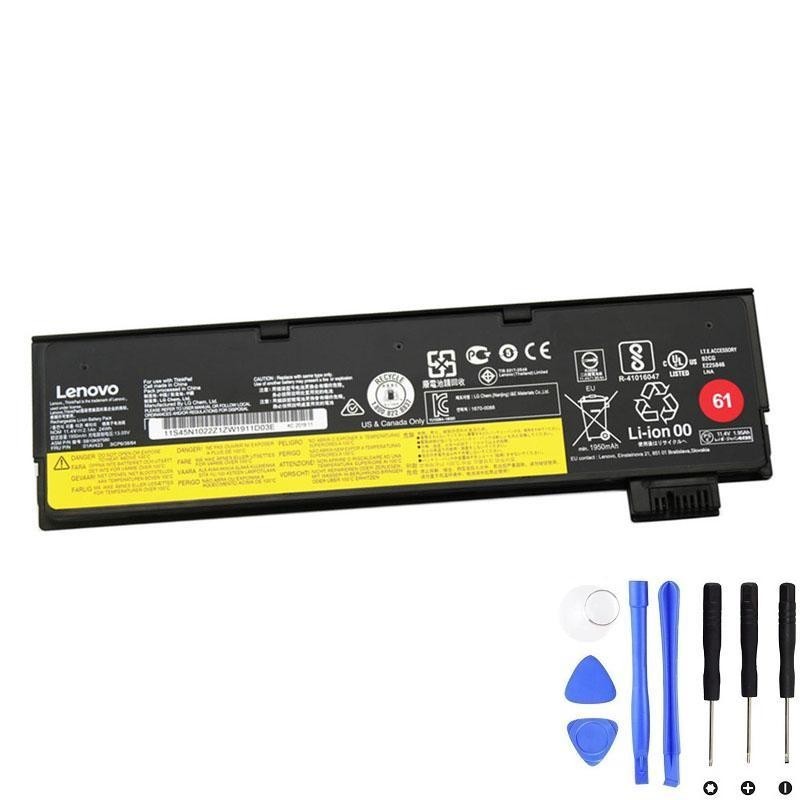
External 24 Wh (Pack 61)
- Best for: Lightest setup, clean/flush back edge.
- Trade-off: Shortest runtime of the three.
- Use case: Office, meetings, classrooms with outlet access.
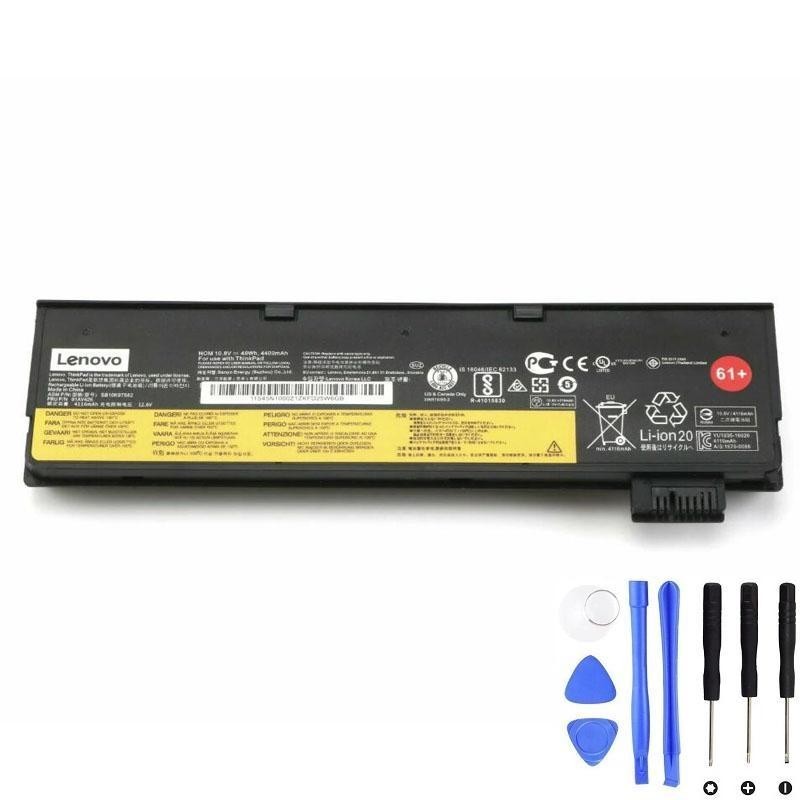
External 48 Wh (Pack 61+)
- Best for: Balanced carry vs endurance.
- Trade-off: Slightly bulkier than 24 Wh.
- Use case: Daily mobility, travel between rooms/buildings.
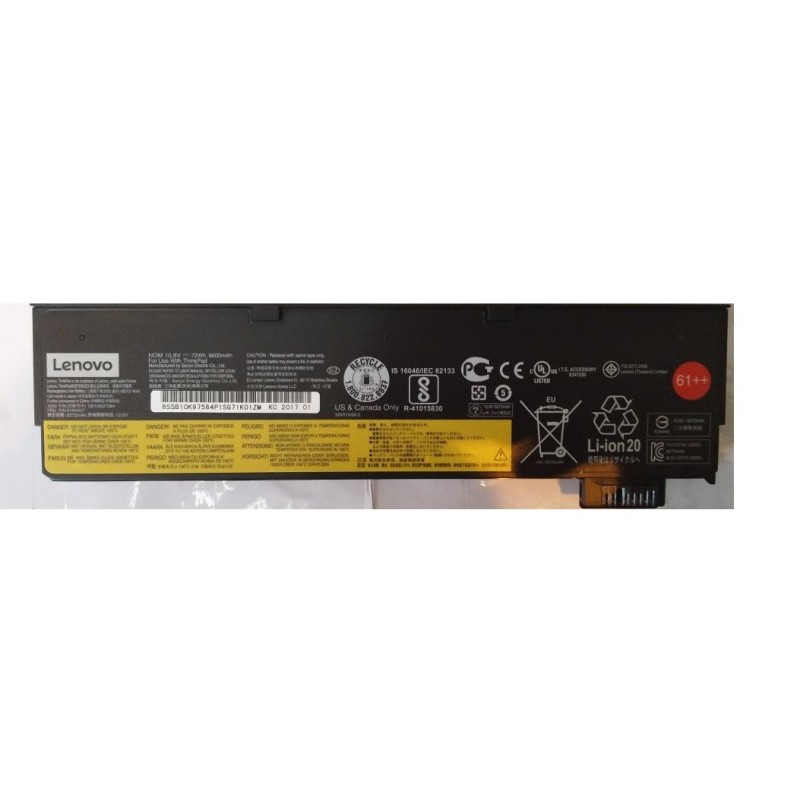
External 72 Wh (Pack 61++)
- Best for: Longest unplugged time.
- Trade-off: Heaviest and adds a rear “foot,” which some users even like for typing angle.
- Use case: Flights, field work, long editing sessions.
Recommended Batteries (Clickable)
Tip: Match the FRU/part number printed on your existing battery label. P51s supports multiple external sizes; the internal is typically ~32 Wh.
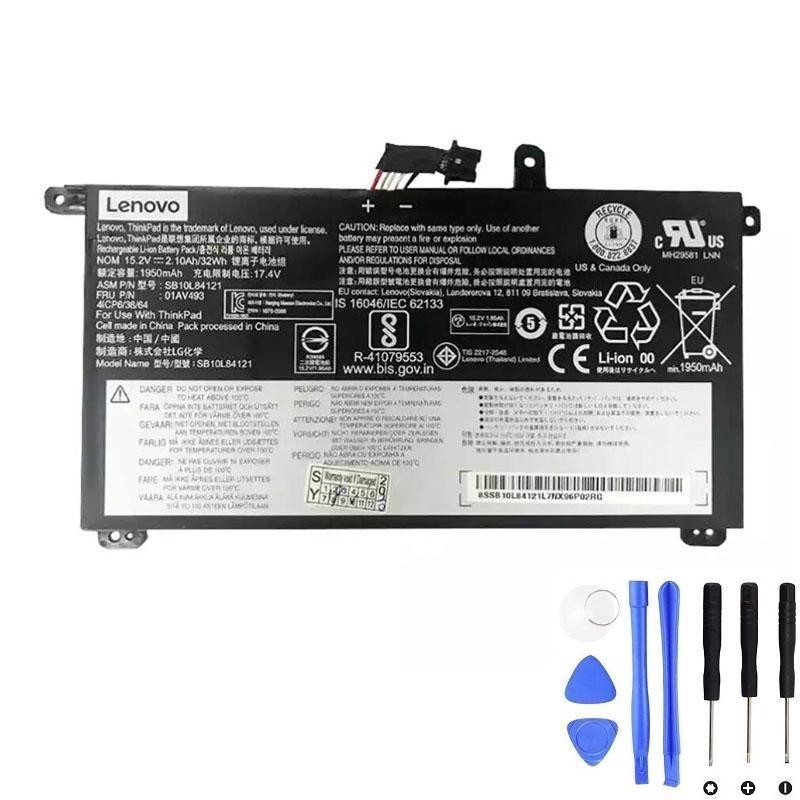
Internal Battery (P51s)
External Batteries (user-removable)
Installation Notes: Internal vs External
External battery (tool-less)
- Shut down or keep running (for hot-swap, ensure internal SOC >20%).
- Slide the latch and remove the rear battery straight out.
- Insert the new pack until the latch clicks; verify it is recognized in the OS.
Internal battery (requires opening the chassis)
- Power off, unplug AC, and remove peripherals.
- Remove bottom cover screws; lift cover carefully to avoid damaging clips.
- Disconnect the battery cable before lifting the internal pack.
- Install the new 01AV493, route cable exactly as before, reconnect firmly, and reassemble.
- Boot, confirm both batteries are detected; if the gauge seems off, run one calibration cycle.
If your unit is under warranty or you’re not comfortable with ESD/connector handling, consult a qualified technician.
Care, Calibration & Storage
- Use charge thresholds (Windows Lenovo Vantage or Linux TLP) when desk-bound to reduce time at 100%.
- Keep temperatures down: heat is the #1 capacity killer. Clean vents, avoid sun-baked cars.
- Avoid deep cycles to 0% unless calibrating. Shallow to mid-range cycling is healthiest.
- Calibrate if the gauge drifts: full charge → rest 30–60 min → light discharge to ~5–10% → uninterrupted full charge.
- Store spares around 40–60% SOC in a cool, dry place; top up every couple of months.
Compatibility: P51s Types & FRU Notes
The guidance in this article targets ThinkPad P51s machine-type families:
- 20JY
- 20K0
- 20HB
- 20HC
Important: Always match batteries by FRU on your existing labels. P51s accepts multiple external capacities (24/48/72 Wh). The internal pack referenced here is typically 01AV493 (~32 Wh). External families are commonly known as 61 (24 Wh), 61+ (48 Wh), and 61++ (72 Wh) with FRUs such as 01AV423, 01AV425, 01AV427/01AV492.
FAQ
Can I hot-swap the external battery on P51s?
Yes. That’s the point of Power Bridge. The internal ~32 Wh pack keeps the system alive while you replace the external pack.
Which battery discharges first?
Typically the system prefers to drain the external pack first, preserving the internal pack for hot-swap. Behavior can adapt with temperature and pack health.
Will the 72 Wh external make my P51s unstable or too heavy?
No instability—only added weight and a rear “foot.” Many mobile-workstation users accept this for long, unplugged sessions.
My new battery shows less Wh than the label. Is it defective?
Not necessarily. Full-charge capacity often stabilizes after a few cycles. If the shortfall is large or persistent, contact the seller for an exchange.
Do I need a bigger AC adapter?
The stock adapter is fine. Under heavy load, charging may slow to respect adapter limits; that’s normal.
Bottom Line
The P51s dual-battery design lets you tune endurance to your day. Keep the internal 32 Wh pack as your safety net, then choose an external pack—24 Wh for light carry, 48 Wh for balance, 72 Wh for marathons. With smart charging habits and occasional calibration, you’ll get years of dependable runtime from this mobile workstation platform.