If your HP laptop displays “Battery needs to be replaced” and your system uses an HT03XL battery (often associated with part number L11119-855), it usually means the battery health check has detected one of these problems:
- Significant capacity loss (the battery can’t hold enough charge anymore),
- Unstable performance (voltage drops under load, causing shutdowns), or
- Charging/communication errors (battery cannot be reliably monitored or charged).
This warning doesn’t always mean the laptop is “broken” — it usually means the battery is reaching end-of-life and may soon cause short runtime, charging issues, or sudden shutdowns.
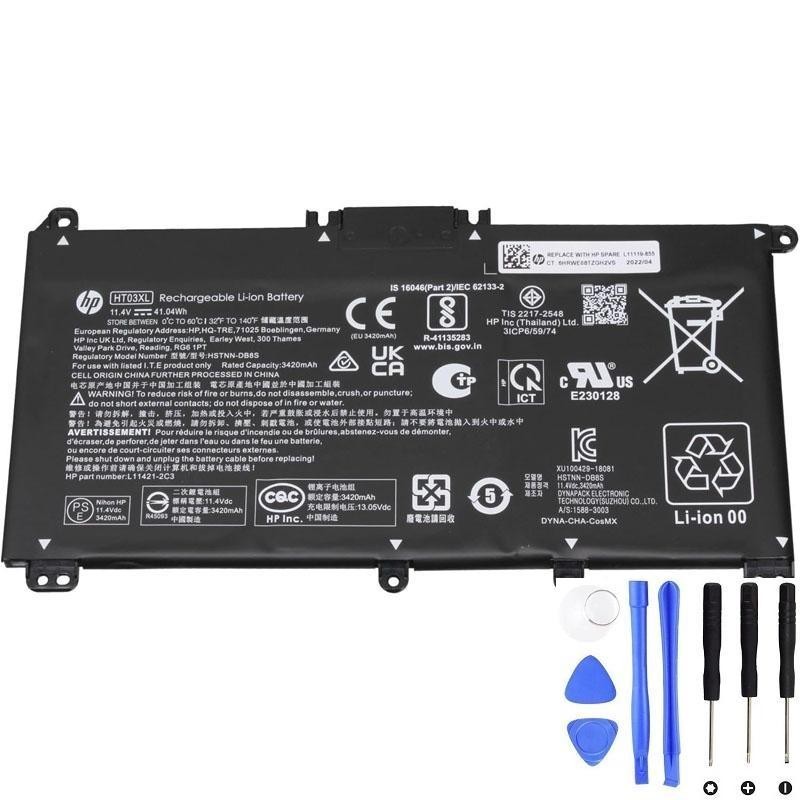
If the warning keeps appearing, battery replacement is usually the correct fix.
1) What triggers the “Battery needs to be replaced” warning?
HP laptops use battery health checks based on:
- Capacity (how much charge the battery can hold compared to when new)
- Cell stability (whether voltage stays stable when the laptop draws power)
- Charging behavior (whether the pack charges normally and communicates correctly)
So when you see this warning, it typically means the battery is no longer meeting expected performance or safety thresholds.
2) Common real-world symptoms you’ll notice
Many users see the warning along with one or more of these issues:
- Very short battery life even after charging to 100%
- Battery percentage jumps (for example: 40% → 15% suddenly)
- Random shutdowns (especially when opening apps or under load)
- “Plugged in, not charging” or charging stuck at a certain percentage
- Laptop only works reliably while connected to the charger
3) Confirm it in 2 ways (recommended)
A) Run HP battery diagnostics
Most HP laptops have built-in diagnostics that can test the battery.
- Restart the laptop
- Press Esc repeatedly at startup (or F2 on many models)
- Open System Diagnostics → run Battery Test
If the result shows Weak, Replace, or any repeated failures, the warning is very likely accurate.
B) Generate a Windows battery report
This shows how much capacity the battery can hold now.
- Right-click Start → Terminal (Admin)
- Run:
powercfg /batteryreportCompare these two values:
- DESIGN CAPACITY
- FULL CHARGE CAPACITY
Typical interpretation:
- If full charge capacity has dropped a lot (often below ~70% of design), short runtime and warnings are common.
- If capacity looks “OK” but you still get shutdowns/jumps, the pack may be unstable under load (still a strong reason to replace).
4) Could it be a software glitch?
Sometimes battery warnings appear after BIOS/driver changes or power glitches. If the laptop otherwise behaves normally, you can try:
- Power reset: shut down → unplug charger → hold power button ~30 seconds → restart
- Update BIOS and HP chipset/power drivers (from HP support for your laptop model)
But: if the warning comes back and you have real symptoms (fast drain, shutdowns, charging problems), it’s usually not a “glitch”—it’s battery wear.
5) Safety check: signs you should replace immediately
Stop using the laptop on battery power and replace the battery ASAP if you notice:
- Swelling (bottom cover bulging, touchpad lifting, keyboard/trackpad feels tight)
- Unusual heat around the battery area
- Odor (chemical or burning smell)
6) What to do next (practical options)
- If you rarely travel: you can continue using the laptop on AC power temporarily, but expect mobility issues and possible shutdowns if the battery is unstable.
- If you need reliable portable use: replacing the HT03XL battery is the most direct solution.
- If diagnostics fail or swelling exists: replacement is strongly recommended.
Need a compatible HT03XL (L11119-855) replacement?
If your HP laptop repeatedly says “Battery needs to be replaced”, the battery has likely reached end-of-life. Replacing it restores stable charging and portable runtime.