Yes—on many HP laptops, a worn HT03XL (L11119-855) battery can contribute to performance throttling, stuttering, or lag, especially when you’re running on battery power (or when the power system can’t deliver stable wattage).
But it’s important to understand how it happens. A weak battery doesn’t “slow the CPU” directly like a software virus would—performance drops are usually a power stability or power limit reaction designed to keep the laptop from shutting down.
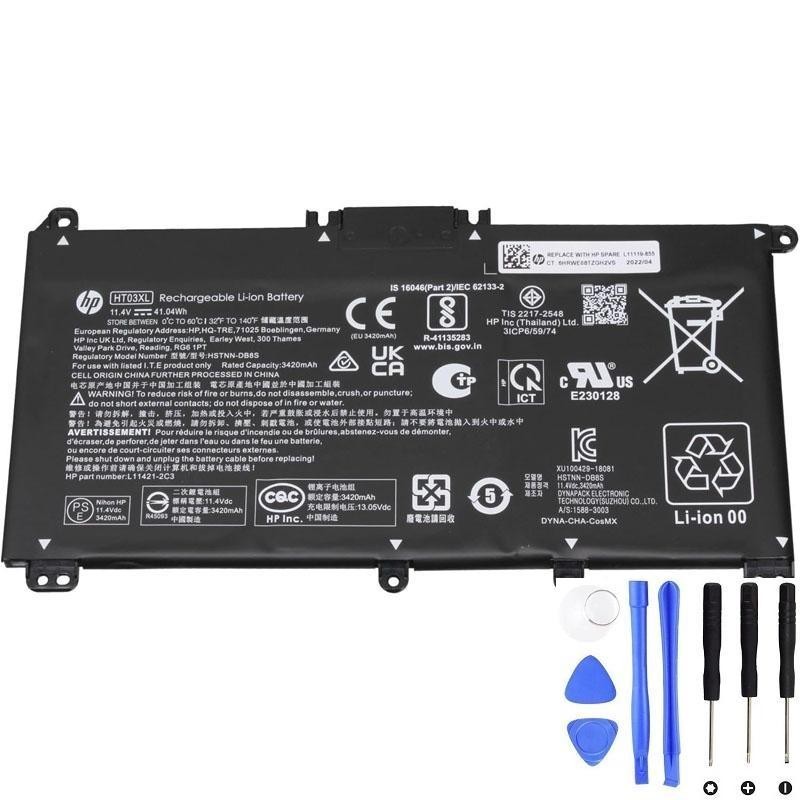
If lag happens on battery power, a weak pack is often part of the problem.
1) How a worn battery can cause throttling or lag
A) The laptop reduces CPU/GPU power to prevent shutdown
As batteries age, they can develop higher internal resistance. Under load (opening apps, video calls, compiling, gaming), the laptop demands more power. A weak battery may not be able to deliver the required current, causing the voltage to sag.
To avoid a sudden crash, the system may:
- Lower CPU boost speeds
- Limit GPU performance
- Reduce overall power draw
Result: you feel it as lag, stutter, low FPS, or slow responsiveness—especially during spikes.
B) Battery % and power delivery can become unstable
If the battery gauge is inaccurate or the pack is unstable, you can see:
- Battery % jumps
- Random performance drops
- Occasional freezes right before a shutdown
C) The system may switch to an aggressive “battery saving” profile automatically
Some systems automatically apply stricter power limits when they detect a weak battery or very low remaining capacity, which can reduce performance even before the laptop is “critically low”.
2) What throttling from a bad battery usually looks like
- Performance is fine on AC power, but noticeably worse on battery
- Lag is worse when opening heavy apps, watching video, or multitasking
- CPU feels “stuck” at a lower speed (less boost)
- Fans may not ramp the same way because the system is limiting power
- You may also see fast battery drain, sudden shutdowns, or percentage jumps
3) Quick tests to prove whether the battery is the cause
Test A: Compare AC vs battery performance (fastest)
- Plug in the charger and use the laptop normally for 5–10 minutes.
- Unplug and do the same tasks again.
If performance drops sharply only on battery, the battery/power limit path is strongly involved.
Test B: Check Windows power mode
- On battery, switch Windows to Balanced (or “Best performance” for a controlled test).
- If “Best performance” causes shutdowns or stutter on battery, that points to power delivery limits from the battery.
Test C: Generate a Windows battery report (capacity health)
powercfg /batteryreportCompare DESIGN CAPACITY vs FULL CHARGE CAPACITY. A big drop (often below ~70% of design) makes throttling and instability more likely.
Test D: Watch for “spike lag” behavior
If the laptop lags right when a task starts (opening a program, starting a meeting, launching a game), that’s consistent with “power spike” demand that a weak battery struggles to supply.
4) Don’t confuse battery throttling with other common lag causes
Lag can also come from non-battery issues. If you see poor performance even on AC power, check:
- Overheating: high CPU temps cause thermal throttling
- Low RAM: heavy paging makes everything slow
- SSD/HDD issues: disk at 100% usage or failing drive
- Background tasks: antivirus scans, Windows updates, cloud sync
Rule of thumb: if it’s fast on AC but slow on battery, the battery/power policy is a top suspect.
5) What you can do (practical fixes)
- Try a fresh power reset: shut down → unplug → hold power button 30 seconds → restart.
- Update BIOS and chipset drivers from HP (power management improvements can help).
- Use Balanced mode on battery to reduce power spikes.
- If the battery is worn: replacement is the most direct fix to restore stable battery power.
6) When battery replacement is strongly recommended
If you have throttling/lag plus any of these, replacement is usually the correct solution:
- Fast drain even after full charge
- Battery percentage jumps
- Random shutdowns with charge left
- HP diagnostics says Weak or Replace
Need a compatible HT03XL (L11119-855) replacement?
If performance drops on battery and your battery health is low, replacing the HT03XL is often the fastest way to restore stable runtime and smooth performance.