If your HP laptop uses an HT03XL battery (often linked with part number L11119-855) and it suddenly shuts down even though Windows shows remaining battery percentage, the most common reason is simple:
The battery percentage is not the same as stable usable power.
A battery can still report “30%” or “40%” but fail to deliver enough voltage/current when the laptop demands more power. When that happens, the system protects itself by shutting down instantly.
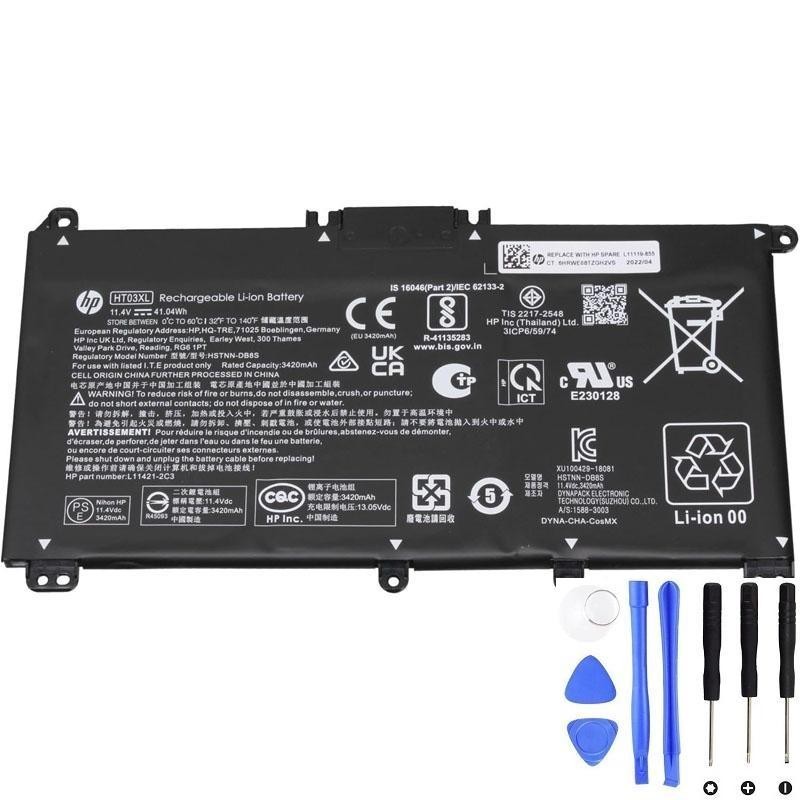
If shutdowns happen on battery power, a weak pack is often the real cause.
1) The #1 cause: voltage drop under load (battery can’t deliver peak power)
As batteries age, internal resistance increases. Under light use (web browsing), the laptop may run fine. But under higher demand (multiple apps, video calls, opening heavy programs), the battery voltage can drop too low too quickly.
When the voltage drops below a safe threshold, the laptop shuts down immediately to prevent data corruption or hardware instability.
Typical pattern:
- Shutdown happens more often at 20–50% battery
- Shutdown happens more often during CPU/GPU spikes (opening apps, video, games)
- On AC power, the laptop is stable
2) Battery gauge errors (percentage looks wrong)
Sometimes the battery still has some energy, but the “fuel gauge” estimate is inaccurate. This can happen due to:
- Long-term wear
- Cell imbalance
- Charging habits that prevent the gauge from learning accurately
Result: Windows may show 35% but the battery hits its real low-voltage cutoff and shuts down.
3) Cell imbalance or internal battery protection triggering shutdown
Battery packs contain multiple cells plus a protection circuit. If one cell group becomes weak, the pack may shut down early to protect itself—even if overall “percentage” appears higher.
This is especially common when:
- The laptop is several years old
- The battery has seen many charge cycles
- The laptop often runs hot
4) Quick tests to confirm it’s really the battery
A) AC vs Battery stability test
- Use the laptop on AC power for a while under the same workload that caused shutdowns.
- If it never shuts down on AC but shuts down on battery, the battery is the top suspect.
B) “Light load” test
Charge to 100%, unplug, set brightness ~50%, and do very light tasks for 10–15 minutes.
- If it still drops rapidly or shuts down early, the battery is likely failing.
- If it only shuts down under heavy tasks, it’s classic “voltage drop under load”.
C) Generate a Windows battery report
powercfg /batteryreportCompare DESIGN CAPACITY vs FULL CHARGE CAPACITY. A big drop in full charge capacity means the battery holds far less energy than when new, making unexpected shutdowns more likely.
D) Run HP diagnostics (if available)
- Restart → press Esc repeatedly (or F2 on many HP models)
- Open diagnostics → run Battery Test
If it reports Weak or Replace, that strongly supports battery failure.
5) Settings that can make shutdowns happen sooner (but don’t “cause” a healthy battery to fail)
A) Aggressive performance settings
- “Best performance” power mode increases peak power draw.
- That can trigger shutdowns sooner on a weak battery.
Fix: switch to Balanced or “Best power efficiency” during testing.
B) High brightness + heavy background apps
- Too many startup apps, browser tabs, or constant syncing can push a weak battery over the edge.
Fix: close heavy apps and retest.
6) “Could it be something else?” (less common causes)
- Overheating: the laptop may shut down to protect itself if temperatures spike (often you’ll see fan noise and heat).
- Faulty charging/power circuitry: rare, but possible if the laptop also behaves strangely on AC.
- Battery connector/board issue: if the internal battery connection is loose, power can cut unexpectedly.
If shutdowns happen both on AC and battery, investigate overheating and system stability (drivers, memory, storage health) as well.
7) When should you replace the HT03XL battery?
Replacement is strongly recommended if:
- You get random shutdowns on battery more than once
- Battery percentage jumps or is clearly inaccurate
- Windows battery report shows a large capacity drop
- HP diagnostics says Weak or Replace
Safety note: If you see swelling (bulging case, raised touchpad), replace immediately.
Need a compatible HT03XL (L11119-855) replacement?
If your laptop shuts down on battery power even with charge left, replacing the battery is often the fastest way to restore stable portable use.