If your HP laptop uses an HT03XL battery (often linked with part number L11119-855) and the battery drains fast even after reaching 100%, there are usually two broad reasons:
- The battery is worn (it cannot hold as much energy as it used to), or
- The laptop is using more power than expected (settings, apps, drivers, or hardware behavior).
This guide helps you identify which one is happening, with practical checks and fixes you can do in minutes.
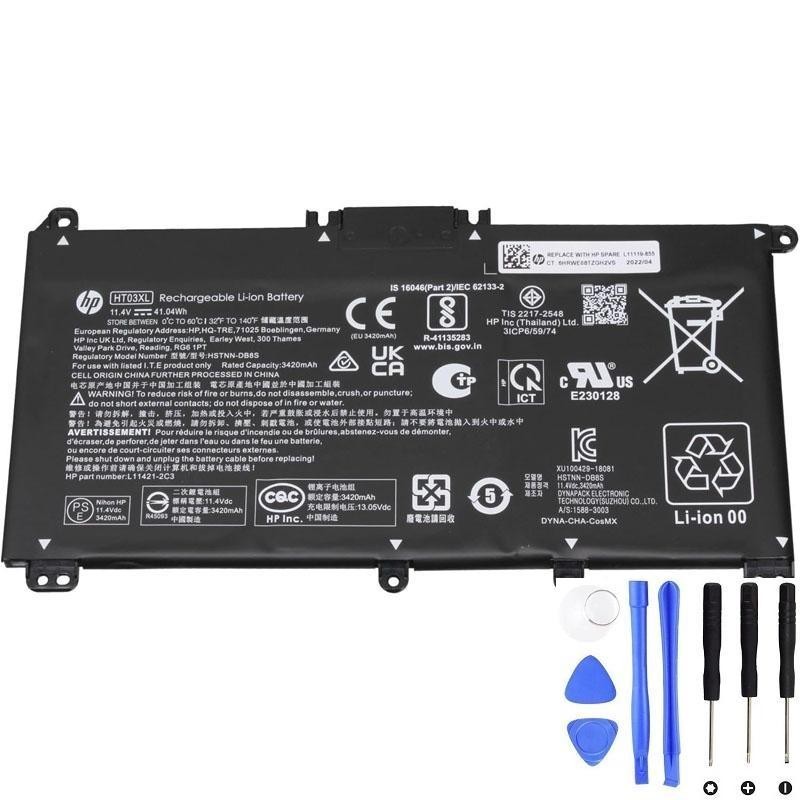
If your battery health is low, replacement is often the fastest fix.
1) The fastest test: check real battery health in Windows
The “100% charged” number only tells you the battery is full relative to its current capacity. A worn battery can still reach 100%—but 100% may represent much less energy than when new.
Create a Windows battery report
- Right-click Start → Terminal (Admin) / Command Prompt (Admin)
- Run:
powercfg /batteryreportOpen the generated report and compare:
- DESIGN CAPACITY
- FULL CHARGE CAPACITY
What the numbers usually mean:
- 85–100% of design: battery health is generally OK
- 70–85%: noticeable runtime drop is normal
- Below ~70%: fast drain is very common; replacement becomes more worthwhile
2) Most common reasons the HT03XL drains fast (and what to do)
A) Battery wear (capacity loss)
This is the #1 cause. If the battery is aged, it simply holds less energy than before.
- Fix: If health is low, replacement restores runtime much more than any software tweak.
B) High screen brightness
The display is often the biggest power consumer in everyday use.
- Fix: Lower brightness to ~40–60% and compare runtime.
C) Background apps + browser tabs
Browsers (especially many tabs), video calls, streaming, and syncing apps can drain quickly.
- Fix: Open Task Manager → Processes and check what’s using the most CPU.
- Fix: In Windows Settings → Apps → Startup, disable unnecessary startup apps.
D) Power mode set to performance
“Best performance” can increase CPU power draw and reduce battery life.
- Fix: Windows Settings → System → Power & Battery → set to Balanced (or “Best power efficiency” on some versions).
E) Discrete GPU waking up (graphics switching)
Some HP laptops switch between integrated graphics and a dedicated GPU. If the dedicated GPU is active, battery drain can jump.
- Fix: Check Task Manager for GPU activity; close apps that trigger the dGPU (some browsers, video editors, games).
F) Wi-Fi/Bluetooth behavior
Poor Wi-Fi signal or constant device scanning can raise power use.
- Fix: Turn off Bluetooth if you don’t need it. Improve Wi-Fi signal when possible.
G) Sleep/Modern Standby drain
If your laptop loses a lot of battery while “sleeping”, it may be staying partially active.
- Fix: Try Hibernate instead of Sleep for overnight periods.
- Fix: Check which apps are allowed to run in background.
H) Battery gauge/calibration error
Sometimes the battery percentage is inaccurate, making it feel like drain is “too fast”.
- Fix: Do one normal cycle occasionally: charge to 100% → use normally down to around 10–15% → charge back to 100% (don’t do deep cycles frequently).
I) Heat (high temperature)
Heat increases power consumption and accelerates battery aging.
- Fix: Make sure vents are clear; avoid using the laptop on fabric surfaces; consider cleaning dust if temps are high.
J) Outdated BIOS/chipset/drivers
Power management bugs can cause unnecessary drain.
- Fix: Update BIOS and chipset drivers from HP support for your model.
3) Quick “2-minute” drain test (to separate wear vs power usage)
- Charge to 100%.
- Set brightness to ~50%.
- Turn off keyboard backlight (if any) and close heavy apps.
- Use only a light task (one browser tab, no video) for 10–15 minutes.
If drain is still extreme (for example dropping several percent in a few minutes under light use), that strongly points to a worn battery or a measurement error.
4) When to replace the HT03XL battery
Replacement is usually the best option if:
- Battery report shows low Full Charge Capacity (big drop vs design capacity)
- You get shutdowns or percentage jumps
- Runtime is no longer enough for your daily use even after optimizing settings
- You see swelling (stop using it and replace ASAP)
Need a replacement HP HT03XL (L11119-855) battery?
If the battery report shows low capacity—or you’ve tried the quick fixes and the drain is still fast—replacement is usually the most reliable solution.