It’s normal for an HP HT03XL (L11119-855) battery to feel warm during charging or heavy use. Batteries generate heat when they charge/discharge, and your laptop also produces heat from the CPU/GPU—so the battery area can warm up.
However, there’s a big difference between normal warmth and unsafe heat. This guide helps you tell the difference and explains what to do if the battery feels too hot.
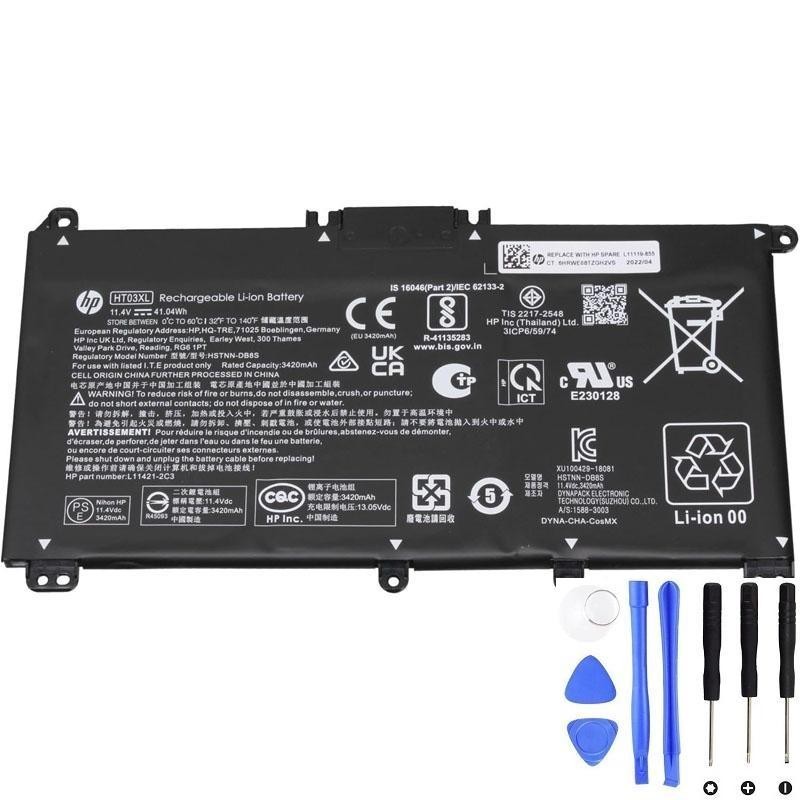
If heat is abnormal or there are warning signs, replacing the battery is the safest option.
1) What temperature is “normal”?
In normal use, you might notice:
- Slightly warm during light tasks (browsing, documents)
- Warm to hot during charging or heavy tasks (video calls, streaming, multitasking)
Because most people don’t have a temperature meter, the simplest “normal” rule is:
- Normal: warm/hot but not painful, no smell, no swelling, charging is stable
- Concerning: too hot to comfortably touch, heat appears suddenly, or comes with other symptoms
2) Common reasons your HT03XL battery area gets hotter (still normal)
A) Fast charging from a low battery
Charging from low % often generates more heat than maintaining a mostly full battery.
B) Heavy workload while charging
If you charge while running heavy tasks, the laptop is both using power and charging. That increases heat inside the chassis.
C) Poor ventilation
- Using the laptop on a bed/blanket/sofa
- Blocked vents or dust buildup
- Hot room temperature
D) High brightness, gaming, or GPU activity
These raise power draw and internal temperature, which can warm the battery area even if the battery itself is okay.
3) When heat becomes unsafe (stop using it)
Unplug the charger and stop using the laptop on battery power if you notice:
- Swelling (bulging bottom cover, touchpad lifting, gaps in the chassis)
- Burning/chemical smell
- Visible warping or deformation
- Very high heat that feels painful or alarming
- Crackling sounds or any sign of smoke
- Rapid new problems (sudden shutdowns, charging errors, percentage jumping + heat)
These are not “normal battery warmth” signs. They suggest battery damage or a safety risk.
4) Signs the battery is heating because it’s wearing out
Heat is more concerning when it comes together with these symptoms:
- Battery drains fast even after full charge
- Battery percentage jumps or looks incorrect
- Random shutdowns with battery % remaining
- “Battery needs to be replaced” warnings
- Charging is unstable or stuck
If you have several of these, the battery may be struggling internally, and replacement is often the safest fix.
5) How to reduce battery heat safely
- Use on a hard surface (not fabric) to keep vents open
- Lower brightness to reduce power draw
- Close heavy apps when charging (video editing, games)
- Disable unnecessary startup apps (less background CPU = less heat)
- Keep vents clean (dust can trap heat)
6) Quick troubleshooting checklist
- Does it only get hot when charging? (normal in many cases)
- Does it get hot even at idle? (check background CPU usage + airflow)
- Is the bottom cover bulging? (stop using and replace ASAP)
- Is there any smell? (stop using and replace ASAP)
Need a compatible HT03XL (L11119-855) replacement?
If your battery runs unusually hot and you also see fast drain, shutdowns, swelling, or warnings, replacement is usually the safest solution.