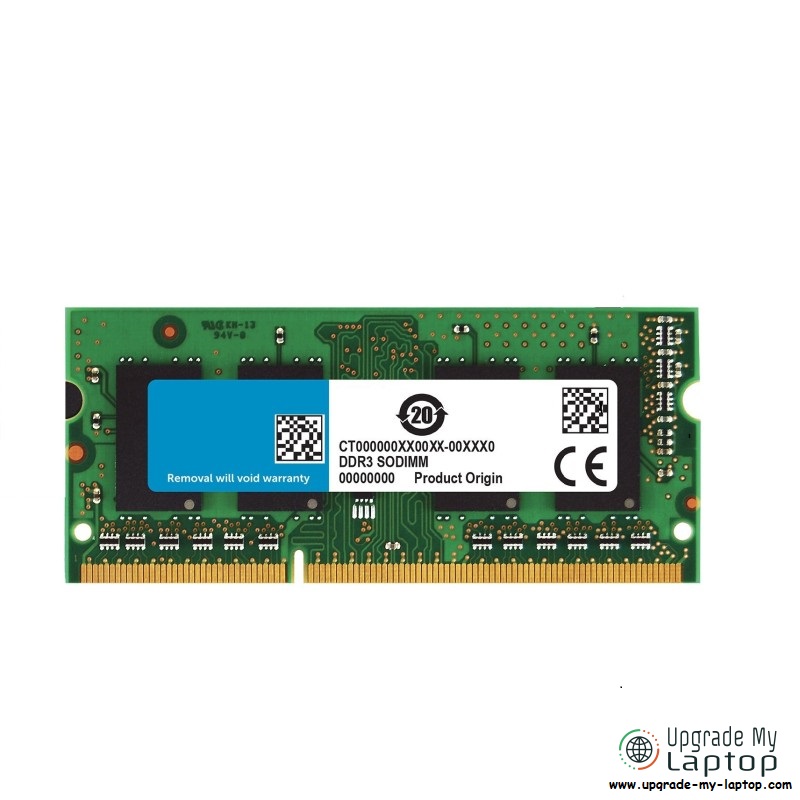
Plug-and-play 16GB DDR3L SO-DIMM for compatible notebooks (1.35V dual-voltage). Ideal for capacity upgrades to 16GB/32GB total where supported.
Short answer: Yes. 16GB DDR3 modules do exist for both desktops and laptops. The long answer is about
compatibility — whether your CPU + chipset + motherboard BIOS can address a 16GB module per slot, and whether the module’s
voltage/rank/IC organization matches what your platform expects.
Contents
- DDR3 vs DDR3L (voltage & naming)
- Form factors & types: DIMM, SO-DIMM, ECC, Registered
- Where 16GB DDR3 is common — and where it’s tricky
- IC organization (x8 vs x16) & ranks (1Rx8 vs 2Rx8)
- Platform limits: Intel & AMD eras to know
- OS limits (32-bit vs 64-bit)
- How to check support on your machine
- Installation tips & best practices
- Troubleshooting if 16GB doesn’t work
- FAQs
DDR3 vs DDR3L (Voltage & Naming)
- DDR3: 1.5V nominal, common speeds 1066/1333/1600 (PC3-8500/10600/12800), typical timings around CL9–11 at 1600.
- DDR3L: 1.35V low-voltage. Many modules are dual-voltage (1.35V/1.5V), making them broadly compatible. For laptops, 16GB SO-DIMMs are usually DDR3L.
- Marketing names vary (PC3-12800 vs DDR3-1600), but they refer to the same speed grade.
Form Factors & Types
- Desktop DIMM (240-pin): Non-ECC UDIMM is standard for consumer boards. 16GB UDIMMs exist but are rarer than 4/8GB.
- Laptop SO-DIMM (204-pin): 16GB DDR3L SO-DIMMs exist. Whether they work depends on your laptop chipset/BIOS.
- ECC UDIMM & RDIMM: Workstation/server boards may require ECC; many servers use Registered (buffered) RDIMM 16GB/32GB sticks that won’t work in consumer boards or laptops.
Where 16GB DDR3 Is Common — and Where It’s Tricky
- Desktops: Many late-DDR3 consumer boards still cap at 8GB per slot. Some higher-end or newer DDR3 boards can use 16GB UDIMMs (often with a BIOS update). Workstations/servers with ECC RDIMM easily support 16GB+ per slot (but those are different module types).
- Laptops: 16GB SO-DIMMs exist and work in a subset of models (commonly 2013–2016 business-class notebooks and some gaming laptops). Many consumer laptops from the DDR3 era are limited to 8GB per slot (max 16GB total).
IC Organization & Ranks (Why Some Systems Reject 16GB)
Controllers from the DDR3 era are picky about the memory layout:
- Organization: Prefer modules built with x8 chips. x16 layouts are often incompatible on older controllers.
- Ranks: 16GB DDR3 SO-DIMMs are typically 2Rx8 (two ranks, x8 chips). Many laptops/desktops of that era require 2Rx8 for high-density modules.
- Takeaway: If a 16GB stick isn’t detected, it’s often because the module is x16, single-rank, or uses IC densities your controller can’t address.
Platform Support (Intel & AMD Quick Map)
General guidance (there are exceptions; always verify the board vendor’s memory QVL and BIOS notes):
- Intel mobile chipsets (2010–2014, e.g., HM55/HM65/HM75/HM77, HM8x): common limit of 8GB per slot. Some late HM77/HM87 designs accept 16GB SO-DIMMs with the right organization and a recent BIOS.
- Intel desktop chipsets (P55/H55 → Z77 → Z97 era): many boards support only 8GB UDIMMs per slot; a minority accept 16GB UDIMMs (often noted in later BIOS revisions).
- Workstation/Server (C20x/Xeon platforms): typically support 16GB+ per slot with ECC RDIMMs (not compatible with consumer boards).
- AMD AM3/AM3+/FM2(+): similar story — most consumer boards top out at 8GB per slot; some late or premium boards add support for 16GB UDIMMs.
OS Limits
- 32-bit Windows: effective usable RAM ~3.2GB regardless of how much you install. Avoid for memory upgrades.
- 64-bit Windows/macOS/Linux: recommended; the limit is the platform/motherboard, not the OS in typical consumer scenarios.
How to Check If Your System Supports 16GB DDR3
- Identify exact model: laptop (full model/suffix) or desktop motherboard model & BIOS version.
- Check the manufacturer page: look for maximum memory, per-slot limit, and the memory QVL. Update to the latest BIOS if 16GB support was added later.
- Read current SPD: in Windows use CPU-Z (SPD tab) or HWiNFO; on Linux use
dmidecode -t memory. Note rank (1R/2R), speed, and voltage. - Prefer dual-voltage DDR3L 1.35V/1.5V, 2Rx8 modules to maximize compatibility.
Installation Tips & Best Practices
- Install matching modules for dual-channel. Mixing speeds will downclock to the slowest DIMM.
- After installation, clear NVRAM/CMOS (desktops) if the board fails first boot; then re-enter BIOS to confirm memory count and speed.
- Run a stress test (MemTest86/Windows Memory Diagnostic) to validate stability.
Troubleshooting If a 16GB Module Isn’t Detected
- Update BIOS/UEFI first.
- Try a known-good 2Rx8 16GB DDR3L model; avoid 1Rx16/x16 IC layouts.
- Test each slot separately; some boards only train high-density DIMMs in specific slots.
- If the platform spec says 8GB per slot max, you likely need 2×8GB instead of a single 16GB stick.
FAQs
Q: Do 16GB DDR3 laptop modules exist?
Yes, 16GB 204-pin DDR3L SO-DIMMs exist. Support is platform-dependent (chipset/BIOS).
Q: Can I mix DDR3 and DDR3L?
Many DDR3L modules are dual-voltage and will run at 1.5V alongside DDR3, but the system will follow the slowest/least-capable DIMM. For best results, use matched pairs.
Q: What speed should I buy?
DDR3-1600 (PC3-12800) is the practical ceiling for many DDR3 systems; faster bins (1866/2133) may downclock on older chipsets.
Q: Is 16GB DDR3 still good?
Yes — for everyday use (browsing, Office, study, light photo work) 16GB DDR3 is still perfectly fine and can remove RAM bottlenecks on older systems. For modern AAA gaming, heavy video editing, or large AI workloads, newer platforms (DDR4/DDR5) offer higher bandwidth and lower latency, but if you’re staying on a DDR3 platform, moving to 16GB plus an SSD is a meaningful upgrade.
Q: Is there a single 16GB DDR3 RAM stick?
Yes — 16GB DDR3 modules exist for both desktops (240-pin DIMM) and laptops (204-pin DDR3L SO-DIMM). Support depends on your motherboard/laptop chipset and BIOS. Check the per-slot limit and prefer dual-voltage DDR3L 1.35V, 2Rx8 modules for best compatibility.
Compatible with a wide range of notebooks that support 16GB per slot. Dual-voltage design and 1600 MHz speed for broad platform coverage.